







Start with Natural Light
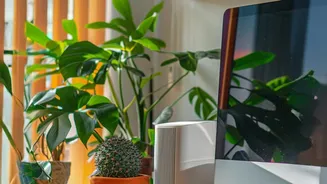
The best light is free, so make the most of it. If possible, position your desk near a window. The ideal placement is perpendicular to the window, not directly in front of it or with your back to it. Facing a window can create glare on your screen, while
having it behind you casts shadows on your work. If the sun is too intense, use sheer curtains to diffuse the light rather than blocking it out completely. Natural sunlight can boost your mood and alertness, providing the best possible foundation for your workspace.
Upgrade Your Light Bulbs
Not all light bulbs are created equal. Swapping them out is a cheap and simple upgrade that makes a huge difference. Pay attention to two key metrics: lumens (brightness) and kelvins (colour temperature). For a home office, look for bulbs in the 3000K to 4000K range. This cooler, whiter light mimics natural daylight and promotes alertness, unlike warmer, yellow-toned lights (around 2700K) which can make you feel relaxed and sleepy. Many LED bulbs are also dimmable, giving you control over the brightness throughout the day.
Layer Your Lighting
A single overhead light is rarely enough. Professional designers use three layers of light to create a balanced room: ambient, task, and accent. Ambient light is the general, overall illumination for the room, which can come from a floor lamp that bounces light off the ceiling. Task lighting is focused light for specific activities, like a desk lamp for reading and writing. Accent lighting highlights specific objects, like a small lamp on a bookshelf. By combining these, you eliminate harsh shadows and create a more comfortable, evenly lit space.
Add a Quality Task Lamp
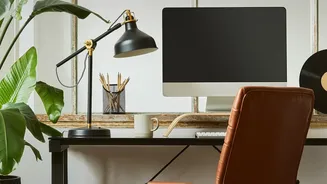
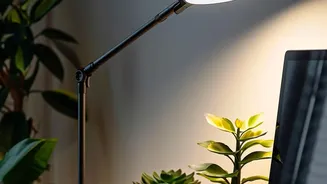
If you invest in only one new item, make it a good desk lamp. This is your primary source of task lighting. Look for a lamp with an adjustable, articulating arm so you can direct the light exactly where you need it and avoid glare on your computer screen. An opaque or semi-opaque shade is best to direct the light downwards. To prevent casting shadows on your work, place the lamp on the left side if you are right-handed, and on the right side if you are left-handed.
Use Mirrors and Reflective Surfaces
One of the oldest interior design tricks is also one of the most effective for lighting. Placing a large mirror directly opposite a window can dramatically increase the amount of natural light in a room. It effectively doubles your light source. You can also use other reflective items, like metallic photo frames or light-coloured furniture, to help bounce light around the room, making a dark space feel brighter and more open.
Adjust Your Computer Screen
The light source you stare at most is your monitor. To reduce digital eye strain, adjust your screen's brightness to match the ambient light in the room—it should not feel like a glowing beacon. Position the screen about an arm's length away and slightly below eye level. Most operating systems also have 'night light' or 'blue light filter' settings that warm the screen's colour temperature in the evening, which can be easier on the eyes and may help with sleep.
Get Smart with Plugs and Bulbs
Smart lighting offers incredible flexibility without any wiring. Smart bulbs can change colour temperature and brightness with an app, allowing you to have crisp, cool light for focused work during the day and warm, soft light for winding down in the evening. Another easy option is a smart plug. You can plug any existing lamp into it and gain the ability to turn it on or off with your voice or phone, making it simple to control your layered lighting setup.