






Your Chair: The Foundation of Comfort
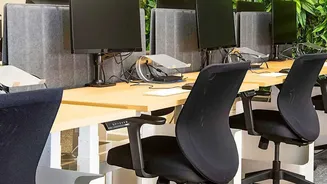
Your chair is the starting point for a pain-free workday. The goal is to maintain a neutral, supported posture. Adjust your chair height so your feet rest flat on the floor, with your knees positioned at roughly a 90-degree angle and about level with your hips.
If your feet dangle, use a footrest to provide stability. Your back should be aligned against the chair, with your buttocks pressed against the backrest to properly engage the chair's support. Your arms should also form a 90-degree angle at the elbows, resting comfortably on your desk or armrests. This setup ensures your pelvis is stable and reduces the tendency to slouch, which is a major contributor to lower back pain.
Monitor Placement for a Neutral Neck
Hunching forward to see your screen is a common habit that strains not only your neck but your entire back. To correct this, position your monitor directly in front of you, about an arm's length away. The top of the screen should be at or slightly below your eye level. This allows you to keep your head in a neutral position, preventing the forward head posture that causes your upper back to round and puts compensatory stress on your lower back. If you work on a laptop, using a separate stand or even a stack of books to elevate the screen to the correct height is crucial.
The Power of Lumbar Support
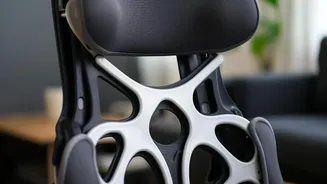
Your lower spine has a natural inward curve, and maintaining this curve is key to preventing pain. Most ergonomic chairs have built-in lumbar support, but many standard chairs do not. If your chair leaves a gap between your lower back and the backrest, you are more likely to slump and flatten your spine. You can easily fix this by placing a small, rolled-up towel or a dedicated lumbar support pillow in the curve of your lower back. This simple addition provides essential support that helps you sit upright, engages your core muscles slightly, and significantly reduces the load on your lumbar discs.
Keyboard and Mouse Proximity
Constantly reaching for your keyboard or mouse can create tension in your shoulders and upper back, which can indirectly affect your lower back posture. Keep your keyboard and mouse close enough that you can use them with your elbows bent at a 90-degree angle and close to your body. Your wrists should be in a straight, neutral position while typing, not bent up or down. This relaxed position prevents you from leaning or twisting, ensuring your upper body remains stable and your spine stays aligned without unnecessary strain.
Organise Your Desk to Minimise Reaching
Your desk setup should work for you, not against you. Twisting and reaching for frequently used items like your phone, notebook, or water bottle can lead to muscle strain over time. Take a moment to arrange your workspace so that these essentials are within easy arm's reach. This small organisational habit prevents the repetitive, awkward movements that can jar your lower back and compromise your posture. By keeping your primary tools close, you encourage smoother, more controlled movements throughout your workday.
Incorporate Regular Movement
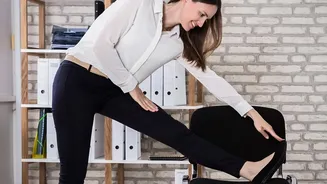
Even the most perfect ergonomic setup cannot counteract the negative effects of staying in one position for too long. Your spine is designed for movement. Set a timer to remind yourself to stand up, stretch, and walk around for a few minutes every 30 to 60 minutes. Taking short breaks improves circulation, reduces muscle stiffness, and relieves the compressive forces on your spinal discs. Simple stretches like a gentle spinal twist in your chair or a standing hamstring stretch can make a significant difference in preventing the buildup of tension in your back.