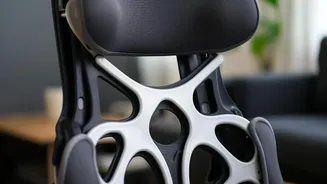







Start with Your Foundation: The Chair
Your office chair is the cornerstone of an ergonomic workspace. Before you touch anything else, get your seating right. The first step is adjusting the height. Your feet should rest flat on the floor, with your thighs roughly parallel to the ground and
your knees at about a 90-degree angle. If your feet dangle, use a footrest. Next, ensure your back is fully supported. Push your hips as far back in the chair as they can go. The backrest should support the natural curve of your spine, with many experts recommending a slightly reclined angle of 100 to 110 degrees rather than a rigid upright posture. There should be a small gap—about two to three fingers' width—between the front edge of the seat and the back of your knees to improve circulation. Finally, adjust the armrests so your shoulders are relaxed and your elbows are close to your body, creating a gentle 90-degree angle.
Position Your Screen to Prevent Neck Strain
Incorrect monitor placement is a primary cause of neck and shoulder pain. The goal is to keep your head in a neutral position, with your ears aligned over your shoulders. To achieve this, your monitor should be placed directly in front of you, about an arm's length away. A common mistake is placing the screen too low or too high. The general rule is that the top of the monitor's screen should be at or slightly below your eye level. This allows your gaze to fall naturally downward at a slight angle of about 15 degrees. If you wear bifocals, you may need to lower your monitor an extra inch or two for comfortable viewing. For those working on a laptop, propping it up on a stand or a stack of books to raise the screen is crucial; you should use a separate keyboard and mouse to maintain proper arm posture.
Align Your Keyboard and Mouse
With your chair and screen set, the final hardware adjustment involves your keyboard and mouse. These input devices should be close enough to your body that you can use them without reaching or leaning forward. Your elbows should remain close to your sides. Position your keyboard so that your wrists are straight and in line with your forearms when you type. Avoid bending your wrists up or down. Your hands should float over the keyboard, and if you use a palm rest, it should support the palms of your hands during breaks, not your wrists while actively typing. The mouse should be on the same surface and within easy reach to prevent straining your shoulder.
The Best Posture Is Your Next Posture
Even the most perfectly ergonomic setup has its limits if you remain static for too long. Experts agree that regular movement is a non-negotiable part of workplace wellness. Some even say that “the best posture is the next posture,” emphasizing the need to change positions frequently. Set a reminder to get up, stretch, and walk around for a few minutes at least once every hour. These short breaks stimulate blood flow, reduce muscle fatigue, and give your eyes a rest from the screen. Simply shifting your position, standing up to take a phone call, or doing a few gentle neck and shoulder rolls can make a significant difference in how you feel at the end of the day. A good setup reduces strain, but regular movement is what keeps your body healthy and resilient.