





The Science of the Slouch
To understand the solution, it helps to understand the problem. The human spine has natural curves that distribute weight and absorb shock. When you slouch or sit in an awkward position for hours, this balance is disrupted. Hunching forward flattens the natural curve of
your lower back, or lumbar spine, putting increased stress on the spinal discs, muscles, and ligaments. Over time, this constant strain leads to muscle fatigue, tightness, and that persistent lower back pain. A poorly positioned monitor forces your neck into an unnatural angle, which creates a chain reaction of misalignment that travels down your spine, ultimately stressing your lower back.
Start with Your Foundation: The Chair
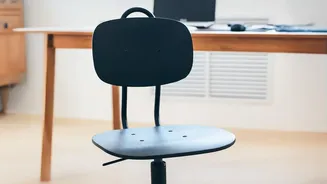
Your chair is the starting point for building a better posture. The first adjustment is height. Your feet should rest flat on the floor with your thighs roughly parallel to it. If your feet are dangling, your lower back is likely to be strained. If your chair is too low, your knees will be higher than your hips, which can also cause discomfort. If your desk is too high to allow for this, raise your chair and use a footrest—a stack of sturdy books or a small box will work in a pinch.
Mastering Lumbar and Arm Support
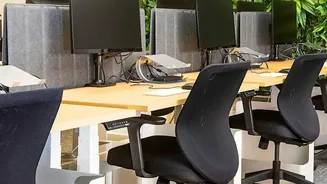
Next, focus on your back. Sit so that your lower back is pressed firmly against the back of the chair, engaging the lumbar support. This support is crucial for maintaining the natural inward curve of your lower spine. If your chair lacks built-in support, a rolled-up towel or a small cushion placed at the base of your back is an effective substitute. Finally, adjust your armrests so that your elbows form a roughly 90-degree angle and your shoulders are relaxed, not hunched. Your forearms should be parallel to the floor, allowing your wrists to remain straight while typing.
The Critical Role of Monitor Height
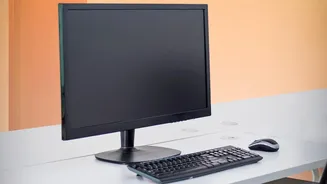
A monitor that is too low or too high is a primary cause of poor posture. To find the right height, sit back in your correctly adjusted chair and look straight ahead. The top line of the screen should be at or slightly below your eye level. This position allows you to view the entire screen without tilting your head up or craning your neck down. The monitor should also be about an arm's length away from you. If you use a laptop, propping it up on a stand or a stack of books to achieve the correct screen height is essential, and using an external keyboard and mouse will allow you to maintain proper arm and wrist posture.
Bringing It All Together
These adjustments work as a system to promote a neutral spine. With your feet on the floor, your back supported, your shoulders relaxed, and your head balanced comfortably over your neck, your body is aligned and efficient. This ergonomic setup minimizes the stress on your musculoskeletal system, allowing your muscles and ligaments to work as intended rather than constantly fighting against a poor posture. It prevents the slow build-up of strain that leads to chronic pain and allows you to focus on your work, not your discomfort.