






Blueprint Your Epic Journey
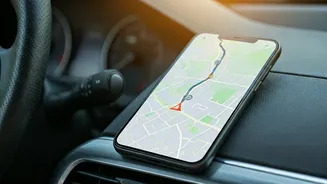
Before you even smell the petrol, your best friend is the 'Add Stop' feature. Modern interactive maps like Google Maps or MapmyIndia are more than just A-to-B direction finders. Start by plotting your final destination, then begin layering your journey.
Want to see that famous temple in a small town? Add it as a stop. Heard about a legendary dhaba two hours off the main highway? Pin it. This multi-stop planning transforms a simple route into a curated itinerary. It provides a realistic timeline, showing you how detours for sightseeing, food, and overnight stays will impact your total travel time. This is the digital equivalent of drawing on a physical map with a highlighter, but far more powerful, as it dynamically recalculates distances and travel durations as you add or remove waypoints.
Master Tolls and Permits
Crossing state lines in India brings a unique set of logistical challenges, primarily tolls and regulations. Thankfully, your map can help here, too. When planning your route on Google Maps, tap the three dots and select 'Route options'. Here, you can see an estimate for total toll costs. This is invaluable for budgeting and ensures your FASTag is sufficiently loaded. While most inter-state travel is now seamless, it’s always wise to do a quick search for your destination state’s latest transport department advisories, especially if you are driving a commercial or modified vehicle. Some apps, like MapmyIndia, often have more granular, India-specific data points that can be useful for navigating complex regional rules, though a quick online check remains the gold standard for official requirements.
Conquer Network Dead Zones
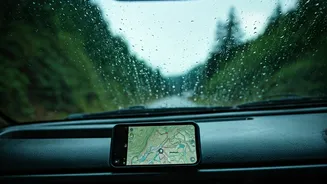
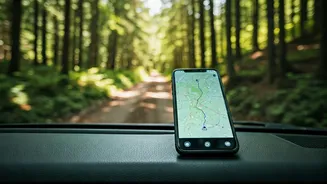
The thrill of discovering a remote, beautiful stretch of road is often accompanied by a sinking feeling when you see 'No Service' on your phone. Don’t let a network dead zone derail your trip. Every major mapping app allows you to download maps for offline use. Before you leave, identify the key regions you'll be driving through—especially rural areas, ghat sections, or national parks—and download the maps for these areas over Wi-Fi. This saves a massive chunk of your phone’s memory for a specific geographic rectangle. When you lose signal, the GPS in your phone will still work, placing your location dot accurately on the downloaded map. You'll have full navigation, even without a live internet connection. It’s a simple step that provides immense peace of mind.
Navigate Real-Time Road Realities
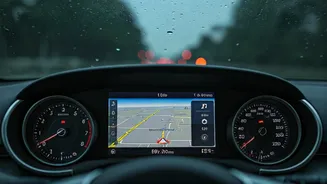
A plan is a starting point, not a rigid script. The road has its own rhythm, complete with unexpected traffic jams, sudden downpours, or surprise diversions. This is where real-time data becomes your co-pilot. Apps like Google Maps and Waze use crowdsourced information from other drivers to give you live traffic updates, colouring your route in green, orange, or dreaded red. They can automatically reroute you to avoid a major snarl-up, saving you hours of frustration. Waze is particularly good for user-reported hazards like potholes, accidents, or police checks ahead. Keeping an eye on the live traffic layer helps you make informed decisions on the fly, like whether it’s better to push through or take that scenic detour you were considering.
Find More Than Just the Way
A successful road trip runs on more than just fuel; it runs on good food, clean restrooms, and timely breaks. Use the search function along your route to find exactly what you need, when you need it. Running low on fuel? Search for 'petrol pump' and the map will show you options ahead, often with user reviews. Stomach rumbling? Search for 'restaurants' or 'dhabas' to see what’s coming up. This is also a critical safety feature. In an emergency, you can quickly search for 'hospital' or 'mechanic' to find the nearest help. By exploring these features, your map evolves from a navigational tool into a comprehensive travel companion, ensuring your journey is not just smooth, but also comfortable and safe.