




The Hidden Damage of a Desk Job
The human body is designed for movement. When you sit for hours on end, several negative effects begin to take a toll on your knees. Prolonged sitting keeps your knees in a flexed position, which can lead to tightened hamstring and hip flexor muscles
while weakening the quadriceps and glutes that support the joint. This muscle imbalance alters the alignment of your knee and increases stress on the kneecap. Furthermore, inactivity reduces the circulation of synovial fluid, the natural lubricant that nourishes cartilage and cushions the joint. Without this fluid moving, cartilage can become stiff and receive fewer nutrients, accelerating wear and tear that manifests as pain, stiffness, and reduced mobility.
Ergonomics: Your First Line of Defence
Ergonomics is the science of designing your workspace to fit your body, rather than forcing your body to conform to a poorly arranged setup. Applying ergonomic principles is not about finding a single 'perfect' posture, but about creating an environment that supports neutral joint positions and encourages movement. For your knees, this means setting up your chair and desk to minimize sustained pressure, promote healthy circulation, and reduce strain on the supporting muscles and ligaments. An ergonomic setup is a dynamic tool that helps prevent the static load and repetitive strain that lead to musculoskeletal disorders over time.
Mastering Your Chair Setup
Your office chair is the most critical tool for knee protection. The first step is adjusting the seat height so your feet rest flat on the floor, with your knees bent at approximately a 90-degree angle. Your hips should be level with or slightly higher than your knees to maintain good circulation. Crucially, you must ensure there is a small gap—about two to three fingers' width—between the front edge of the seat and the back of your knees. If the seat pan is too deep, it can press into the nerves and blood vessels behind your knee, restricting blood flow and causing numbness. An adjustable seat depth or a chair with a 'waterfall' edge can significantly reduce this pressure.
Look Beyond the Chair
A proper ergonomic setup is a holistic system. If your desk is too high, you might be tempted to raise your chair, leaving your feet dangling. In this case, a footrest is essential to provide support and maintain the correct knee and hip alignment. The position of your monitor and keyboard also plays an indirect role. If you are craning your neck or reaching for your keyboard, it can throw off your entire posture, causing you to shift forward in your seat and negate the benefits of a well-adjusted chair. Ensure your monitor is at eye level and your keyboard is close enough to keep your elbows bent at 90 degrees and your shoulders relaxed.
Movement Is Non-Negotiable
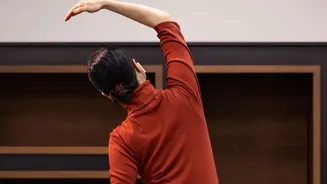
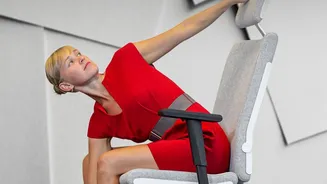
Even the most advanced ergonomic chair cannot eliminate the dangers of a static lifestyle. The most important ergonomic principle is to avoid holding any single position for too long. Health experts recommend getting up to walk and stretch every 30 to 45 minutes. This simple habit restores blood flow, lubricates the joints, and gives your muscles a break from static contraction. Simple stretches you can do at your desk or during a break include hamstring stretches, quad stretches, and leg extensions. These movements help counteract the muscle tightening and stiffness caused by prolonged sitting, keeping the supportive structures around your knee flexible and strong.