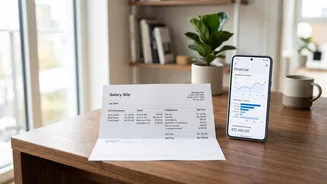







Your Employees' Provident Fund (EPF) is a cornerstone of your retirement savings. But are the amounts deducted from your salary actually reaching your account? Here's how to ensure your savings are safe by comparing your payslip with official records.
Why You Must Verify Your Contributions
Simply seeing a deduction for 'PF' on your monthly payslip is not a guarantee that the money has been deposited into your account. Employers are required to deposit both your share and their matching contribution with the Employees' Provident Fund Organisation (EPFO) every month. However, delays or defaults can happen. Regularly verifying these deposits is crucial for several reasons. It ensures your retirement corpus grows as expected, complete with annual interest. It helps you catch discrepancies early, which is much easier than trying to resolve years of missing contributions later. Finally, it provides peace of mind, knowing that a key component of your financial security is being correctly managed. Forgetting to check, especially after changing jobs, can lead to unnoticed gaps in your savings history.
What You Need Before You Start
To begin the verification process, you'll need a few key pieces of information. First, have your latest payslip handy. Second, you will need your Universal Account Number (UAN). The UAN is a permanent 12-digit number that links all your EPF accounts (also known as Member IDs) from different employers. Your employer should provide this, but it's often printed on your payslip. If you don't know it, you can find it on the EPFO portal. Finally, ensure your UAN is activated on the EPFO member portal, as this is necessary to create a password and log in. You can activate it using your UAN and other personal details on the portal.
A Step-by-Step Guide to Checking Your EPF Passbook
The EPFO makes it simple to view your transaction history online through the EPF Passbook. First, visit the official EPFO Member Passbook portal. You will be asked to log in using your 12-digit UAN, your password, and a captcha code for security. Once you log in, you will see a list of all Member IDs linked to your UAN, representing your employment with different companies. Select the Member ID for your current employer to view the most recent contributions. The portal will then display your passbook, which shows a detailed, month-by-month breakdown of transactions. You can also download a PDF version of the passbook for your records.
How to Compare Your Payslip and Passbook
With your payslip in one hand and your EPF passbook on screen, it's time to compare. Your payslip shows the 'Employee PF Contribution' that was deducted. In your online passbook, this appears in the 'Employee Share' column. Check if the amount credited for a particular month matches the deduction on that month's payslip. Next, look at the employer's contribution. The passbook shows this split into two columns: 'Employer Share' (which goes to EPF) and another for the 'Pension Contribution' (which goes to the Employees' Pension Scheme, or EPS). The key is to confirm that a deposit has been made for every month you received a salary and a deduction was made.
Found a Mismatch? Here’s What to Do
Don't panic if you see a discrepancy. Sometimes, there's a simple explanation, like a delay in processing by the employer, who has until the 15th of the following month to make the deposit. Your first step should be to contact your company's HR or payroll department. Provide them with the specific month and amount of the missing contribution and ask for clarification. If they cannot resolve the issue or are unresponsive, you can escalate the matter directly to the EPFO. You can file a formal complaint using the EPF i-Grievance Management System (EPFiGMS). This creates an official, trackable record of your complaint, ensuring it is formally investigated. You will need your UAN to file the grievance and should upload copies of your payslips as evidence.