






What Exactly Is a Masked Aadhaar?
A masked Aadhaar is an official, downloadable version of your e-Aadhaar where the first eight digits of your unique 12-digit number are hidden, replaced by 'XXXX-XXXX'. Only the last four digits remain visible. This simple but effective feature, introduced
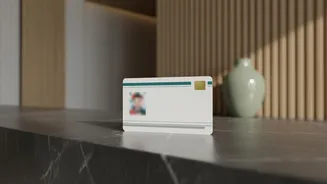
by the Unique Identification Authority of India (UIDAI), is designed to protect your privacy. While the number is partially concealed, all other details on the card — your name, address, photograph, and the scannable QR code — remain unchanged and fully visible, ensuring the document is still a valid proof of identity.
Why You Should Make It Your Default
The biggest reason to use a masked Aadhaar is privacy and security. Sharing your full 12-digit number everywhere increases the risk of it being misused for identity theft or financial fraud. While UIDAI states that knowing the number alone is not enough to cause harm, advisories have been issued against sharing photocopies of the full document indiscriminately, especially with unlicensed private entities like hotels or shops. Using a masked copy reduces this risk significantly. It allows for identity verification without giving away the complete key to your digital identity. Think of it as the difference between showing your ID and handing over the master key to your personal data.
When and Where to Use It
A masked Aadhaar is legally valid and can be used for most identity verification purposes where the full number isn't mandated by a specific law. This includes many common scenarios like hotel check-ins, booking travel, and for Know Your Customer (KYC) requirements for non-governmental services like a new mobile connection or opening some bank accounts. However, it's important to know its limitations. You cannot use a masked Aadhaar to avail benefits under government welfare schemes that require Direct Benefit Transfer (DBT), as these explicitly need the full Aadhaar number for linking and payment processing.
A Simple Guide to Downloading Your Masked Aadhaar
Getting your own masked Aadhaar is a straightforward process that you can do from your computer or phone. You will need your Aadhaar number and the mobile number linked to it to receive a One-Time Password (OTP).
1. Visit the official portal: Go to the myAadhaar website (myaadhaar.uidai.gov.in).
2. Log in: Use your Aadhaar number and the captcha to log in. You will receive an OTP on your registered mobile number for verification.
3. Find the download option: Once logged in, look for the 'Download Aadhaar' service.
4. Select the masked option: On the download page, before you click the final download button, you will see a checkbox that says 'Do you want a masked Aadhaar?'. Tick this box.
5. Download and save: Click download. The file will be a password-protected PDF. The password is a combination of the first four letters of your name in capital letters, followed by your year of birth (e.g., ROHA1990). You can also download it via the mAadhaar app or DigiLocker.
Is It Always Accepted?
According to UIDAI, all forms of Aadhaar, including masked e-Aadhaar, are equally valid and should be accepted as proof of identity. An organisation cannot refuse to accept a masked Aadhaar for verification where the full number is not legally required. Despite this, awareness among all service providers is not universal, and you might occasionally encounter an official who is unfamiliar with it. However, for most digital and private transactions, it serves as a perfectly valid and much safer alternative to your full Aadhaar document.