





The Basic Building Blocks: Bit vs. Byte
To understand the main event, we first need to look at the smallest units of data. A 'bit' is the absolute smallest piece of digital information, represented as either a 0 or a 1. Think of it as a single letter in an alphabet. A 'byte', on the other hand,
is a group of 8 bits. Following the alphabet analogy, a byte is like a whole word. This group of 8 bits is the standard unit used to encode a single character of text. The most important thing to remember is this fundamental rule: 1 byte equals 8 bits. This 8-to-1 ratio is the key to solving the entire puzzle.
Scaling Up: Megabits and Megabytes
When we talk about large amounts of data, using single bits and bytes isn't practical. That's where prefixes like 'mega' come in, which simply means one million. Therefore, a 'megabit' (Mb) is one million bits, and a 'megabyte' (MB) is one million bytes. Because a byte is eight times larger than a bit, a megabyte is also eight times larger than a megabit. The confusion is made worse by their abbreviations. A lowercase 'b' in 'Mbps' stands for bits, while an uppercase 'B' in 'MB' stands for bytes. That one letter changes the meaning by a factor of eight.
Why Your Internet Speed Is in Megabits
Internet Service Providers (ISPs) almost universally advertise their connection speeds in megabits per second (Mbps). This isn't just a marketing trick to make the numbers look bigger, though that is a side effect. Historically, data transfer speeds have been measured by the number of bits moving across a serial connection, one after another. So, measuring network capacity in bits per second became the industry standard. Conversely, file sizes and storage capacity—on your hard drive, phone, or in a download manager—are measured in megabytes (MB) because computer operating systems process and store data in chunks of bytes.
The Simple Conversion for Real-World Speed
So, how do you figure out your actual download speed in the terms you see on your screen? The math is simple: just divide your internet plan's Mbps speed by 8. For example: - A 100 Mbps connection has a theoretical maximum download speed of 12.5 megabytes per second (100 ÷ 8 = 12.5 MB/s). - A 500 Mbps connection translates to a download speed of 62.5 MB/s. - A 1 Gbps (1,000 Mbps) plan gives you a potential 125 MB/s download speed. This means if you're downloading a 250 MB file on a 100 Mbps connection, you shouldn't expect it to finish in 2.5 seconds. The real time would be closer to 20 seconds (250 MB ÷ 12.5 MB/s), assuming ideal conditions.
Other Factors That Affect Your Speed
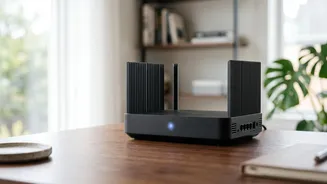
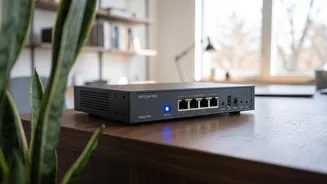
Even after you do the math, your real-world download speed might still be lower than the theoretical maximum. That's because several other factors are at play. Network congestion, especially during peak evening hours when many people are online, can slow everyone down. The speed of the server you're downloading from also matters; you can only receive data as fast as the server can send it. Finally, your own home network plays a huge role. Wi-Fi signals get weaker over distance and can be blocked by walls or interfered with by other electronics like microwaves. For the most reliable speed, connecting your device directly to your router with an Ethernet cable is always the best option.