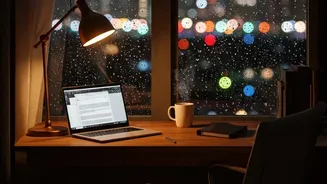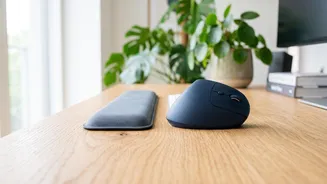




In an age where laptops are central to work, study, and leisure, tired, achy, or dry eyes have become a daily reality for many. The good news is that long-term damage is not a given. Simple adjustments to your screen and daily habits can transform your comfort.
Understanding Digital Eye Strain
Digital eye strain, sometimes called computer vision syndrome, is a group of eye and vision-related issues that result from prolonged screen use. Symptoms often include eye fatigue, dryness, headaches, blurred vision, and even neck and shoulder pain. This discomfort arises because our eyes have to work harder to focus on screens. We tend to blink less—sometimes as little as 5 to 7 times per minute instead of the usual 15—which leads to dryness and irritation. The constant effort of focusing on a close-up, illuminated object can exhaust the muscles in and around our eyes.
Finding the Right Brightness Balance
A common misconception is that a dimmer screen is always better. The truth is, the ideal brightness depends entirely on your surroundings. If your screen is significantly brighter than the ambient light, it creates a glare that forces your eyes to work harder. Conversely, if your screen is too dim in a bright room, you'll strain to read the text. The goal is to match your screen's brightness to the light level around you. A simple way to check this is the 'white paper test': hold a piece of white paper next to your screen. If the screen glows like a light source, it's too bright. If it looks grey and dull, it's too dark. Adjust until the screen’s white background closely matches the paper.
Beyond Brightness: Ergonomics and Glare
Optimizing your workspace is just as crucial as adjusting brightness. Position your laptop screen about an arm's length away, or 50-70 cm, from your eyes. The top of the screen should be at or slightly below your eye level, which encourages a slight downward gaze that can help reduce tear evaporation and prevent dry eyes. Glare from windows or harsh overhead lighting is another major cause of strain. Position your screen to avoid direct reflections. If you can't move your setup, consider using an anti-glare screen filter or simply closing the blinds.
The Non-Negotiable Power of Breaks
No matter how perfectly your screen is calibrated, your eyes still need regular rest. Continuous focus on a nearby object is unnatural for our eye muscles. This is where the '20-20-20 rule' becomes an essential tool. The rule is simple and effective: every 20 minutes, take a 20 second break to look at something at least 20 feet (about 6 metres) away. This short pause allows the focusing muscles in your eyes to relax, preventing the fatigue that builds up during uninterrupted screen time. Studies show that these frequent, short breaks are more effective at reducing eye strain than fewer, longer breaks.
How to Make Your Breaks Count
A 20 second break is a great start, but longer breaks are also vital for your overall wellbeing. Aim to get up from your desk for 5 to 10 minutes every hour. During this time, it's important to get away from all screens, including your phone. Stretch your body, walk around, or look out a window. These movements not only rest your eyes but also improve posture and circulation, resetting your brain and helping you return to your task with renewed focus. To make this a habit, set a timer or use an app to remind you when it's time to step away.