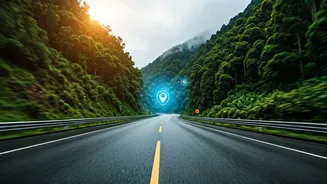









Why Standard Navigation Isn’t Enough
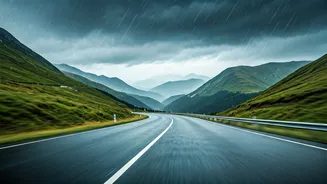
Driving through the Western Ghats, especially between June and October, is a beautiful but high-stakes experience. Standard GPS navigation is excellent for plotting your route from point A to point B, but it often falls short in alerting you to the sudden,
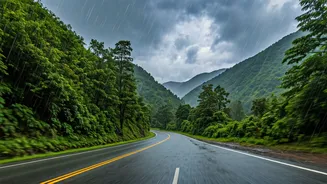
dynamic dangers unique to this terrain. We're not just talking about traffic jams. The Ghats are prone to flash floods, landslides that can block entire sections of highway for hours or days, fallen trees after a heavy downpour, and sudden, thick fog that reduces visibility to near zero. These events don't always register immediately on a standard map. Real-time alerts, which pull data from multiple sources including other drivers and official reports, are designed specifically to warn you about these immediate, location-based hazards, giving you the crucial time needed to reconsider your route or pull over to a safe location.
Activate Alerts on Google Maps & Waze
Your primary tools are likely already on your phone. Both Google Maps and Waze have robust, crowd-sourced alert systems. Before you set off, ensure they are properly configured. For Google Maps: When you input your destination, the app will automatically show major incidents like road closures. However, for proactive alerts, tap your profile icon, go to 'Settings,' then 'Navigation Settings.' Under 'Sound & voice,' ensure that 'Play audio cues' is on and your volume is up. Also, make sure that traffic notifications are enabled under the main 'Notifications' setting for the app on your phone. During your drive, keep an eye out for icons indicating crashes, road work, or other hazards reported by fellow drivers. For Waze: Waze is built entirely around real-time, user-generated reports. Its strength lies in its active community. In the app, go to 'My Waze,' then the gear icon for 'Settings.' Select 'Alerts & reports' and then 'Reports.' Here, you can customize which alerts you see and hear, including 'Hazards' (on road, weather, etc.), 'Police,' and 'Traffic jams.' Ensure these are turned on so you get audible warnings well before you approach a problem area.
Use Official Government Channels
Beyond commercial apps, government bodies provide authoritative information. The National Highways Authority of India (NHAI) offers services to keep travellers informed. The Sukhad Yatra app, for example, provides information on road conditions and allows users to report potholes or accidents. Additionally, SMS alerts linked to your FASTag can sometimes notify you of major blockages or diversions on national highways. It's also wise to check the websites or social media feeds of the State Disaster Management Authority (SDMA) for the state you're travelling through (e.g., Karnataka, Maharashtra, Kerala, Tamil Nadu). These agencies issue official warnings and advisories regarding weather events and their impact on transport.
Social Media: The Unofficial Watchtower
For the most immediate, on-the-ground updates, social media can be an invaluable resource. Before your trip, search on X (formerly Twitter) for the official accounts of the district police, traffic police, and district collector's office for the areas you'll be passing through. For example, following the traffic police accounts for cities like Pune, Mangaluru, or Coimbatore can give you a heads-up on issues affecting the highways radiating from them. Search for hashtags related to your route (e.g., #MumbaiPuneExpressway, #ShiradiGhat) to see real-time posts from other travellers. These platforms are often the first place where photos and videos of a landslide or flood-related road closure appear, long before they are officially confirmed on navigation apps.
Your Pre-Drive Tech Checklist
Technology is only useful if it works when you need it. Network connectivity in the Ghats can be patchy. To prepare, use the 'Offline Maps' feature in Google Maps to download the entire map of your intended route. This ensures your navigation will continue to work even if you lose your signal. Secondly, carry a fully charged power bank. Running navigation and constantly receiving data for alerts is a major drain on your phone’s battery. Finally, as a low-tech backup, always inform a friend or family member of your intended route and your estimated time of arrival. A simple text message can be a crucial part of your overall safety plan.