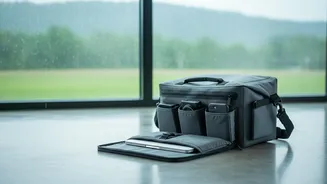








Invest in a Truly Waterproof Bag
Your first line of defence is a high-quality waterproof backpack. Don't confuse 'water-resistant' with 'waterproof'. Water-resistant bags can handle a light drizzle, but a proper downpour will eventually seep through. Look for bags made from materials
like coated nylon or PVC, and check for features like sealed zippers and rain covers for complete protection. A good waterproof bag is an investment that safeguards your expensive device, making it worth the cost. For extra security, consider placing your laptop in a separate waterproof sleeve before putting it in the backpack, adding another crucial layer of protection.
Fight the Hidden Danger: Humidity
Rain is an obvious threat, but the pervasive humidity during the monsoon can be a silent killer for electronics. Moisture in the air can seep into your device, leading to corrosion and short circuits over time. To combat this, place a few silica gel packets inside your laptop bag. These small, inexpensive sachets are excellent at absorbing ambient moisture, keeping the environment inside your bag dry and safe for your computer. You can find them in new shoe boxes or purchase them online easily.
Beware of Unstable Power
Monsoons are notorious for causing power fluctuations and surges, often triggered by lightning strikes or grid issues. Plugging your expensive laptop directly into a wall socket during such times is a major risk. A sudden voltage spike can fry your charger or, even worse, damage the internal power circuits of your laptop permanently. Always carry and use a good-quality surge protector. This portable device acts as a buffer, absorbing excess voltage and ensuring your laptop receives a steady, safe supply of power while charging.
Practice Smart Habits On the Go
Your behaviour while travelling is just as important as your gear. Avoid using your laptop near open windows or on damp balconies where a sudden gust of wind and rain can catch you off guard. When you arrive at your hotel or home after being out in a cooler, rainy environment, let your laptop acclimatise to the indoor temperature for 15-20 minutes before turning it on. This prevents condensation—moisture forming inside the machine due to the temperature change—which can be just as damaging as a direct spill.
Create a Digital Safety Net
Even with the best precautions, accidents can happen. The most valuable thing your laptop holds is not the hardware, but your data. Before you even begin your journey, make sure you have a complete backup of all your important files. Use a cloud storage service, an external hard drive, or both. This way, if the worst does happen and your laptop is damaged beyond repair, your precious photos, documents, and work are not lost forever. A regular backup routine is a non-negotiable habit for any traveller.
Emergency Plan: What to Do if It Gets Wet
If your laptop gets wet, act immediately. Every second counts. First, and most importantly, power off the device instantly by holding down the power button for five seconds; do not perform a normal shutdown. Unplug the charger and remove all connected accessories like USB drives or mice. If it has a removable battery, take it out. Gently wipe the exterior dry with a lint-free cloth, and then open the laptop and place it upside down in a 'V' shape on a dry towel. This allows gravity to drain the water out. Do not use a hairdryer, as the heat can cause more damage. Let it air dry in a well-ventilated area for at least 48 to 72 hours before even attempting to turn it back on.