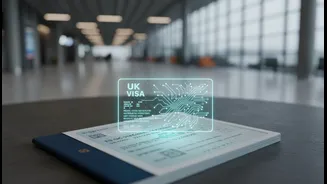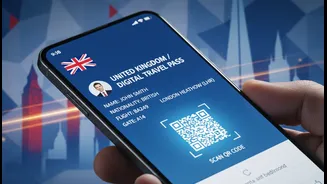





What Exactly is a UK eVisa?
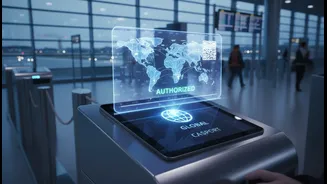
An eVisa is not a document you print or a PDF file; it's a secure, online record of your immigration status held in the UK Visas and Immigration (UKVI) database. This digital status replaces the physical Biometric Residence Permit (BRP) cards and the visa
stickers (vignettes) that were previously placed in passports. For Indian students, this means your permission to study, live, and work part-time in the UK is now entirely digital and linked to your passport. The core visa application process remains largely the same, but how you receive and prove your status has completely changed.
The End of Physical BRPs and Vignettes
The UK government has phased out the issuance of BRP cards and passport vignettes for most students. As of early 2025, the system moved to being digital-by-default, meaning new student visa applicants from India will receive an eVisa upon a successful application. If you are a current student with a BRP card, you will have been required to create a UKVI account to transition your status to an eVisa. This change was made to create a more secure and streamlined system that prevents documents from being lost, stolen, or forged.
How to Access and Manage Your eVisa
To access your eVisa, you must create a UKVI account. You will typically be prompted to do this during your visa application or via email after your visa is granted. This account is your personal portal to view your visa conditions, including your course details and work rights. It is crucial to link your eVisa to the passport you will use for travel. If you get a new passport, you must update your details in your UKVI account immediately, as your eVisa is linked to it. Failure to do so could cause significant issues at the UK border.
Proving Your Rights in the UK
Without a physical card, how do you prove your right to study, work, or rent accommodation? The answer is the 'View and Prove' service within your UKVI account. This service allows you to generate a temporary 'share code'. You will give this code to your university, employer, or landlord, allowing them to securely check your immigration status online. It's important to understand that you cannot use a 'right to work' share code for a 'right to study' check, so you must generate the correct code for the specific purpose required.
Common Mistakes to Avoid
The new system is efficient, but errors can lead to delays and stress. A common mistake is not checking that all details on your eVisa are correct as soon as you get access. Mismatched names or incorrect course dates must be reported to UKVI immediately. Another critical error is travelling with a new passport that has not yet been linked to your eVisa in your UKVI account. Always double-check that your details are up-to-date before you travel. Finally, do not underestimate the visa application process itself; insufficient funds, incorrect documentation, and late applications remain major reasons for refusal, even before you get to the eVisa stage.
Your Pre-Departure Checklist
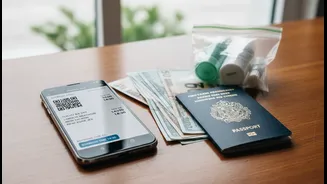
Before travelling to the UK, ensure you have completed these steps: 1. Create your UKVI account and confirm you can access your eVisa. 2. Check that your eVisa details (name, course, dates, conditions) are 100% correct. 3. Verify that your eVisa is linked to the valid passport you will be travelling with. 4. While not mandatory, it's wise to carry a printout or screenshot of your eVisa confirmation email and your Confirmation of Acceptance for Studies (CAS) when you travel.