




Start with the Foundation: Your Chair and Desk
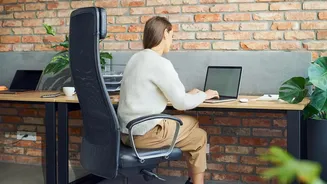
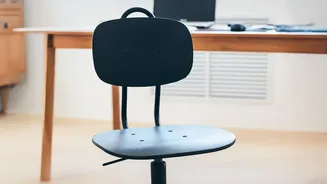
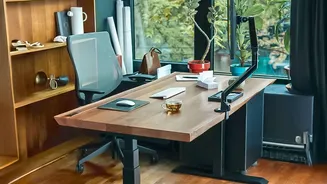
Before looking at anything else, let's confirm the basics. Adjust your chair so your feet rest flat on the floor with your thighs roughly parallel to it. Your knees should be at about a 90-degree angle. Your desk height should then be adjusted so that
when you type, your elbows are also at a 90-degree angle and your forearms are parallel to the floor. Your shoulders should be relaxed, not hunched. If your desk is too high and not adjustable, raise your chair to achieve the correct arm position and use a footrest to support your feet.
Set Your Sights Correctly: Monitor Position
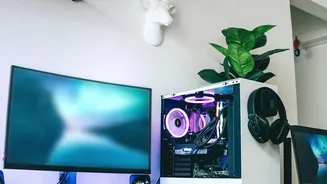
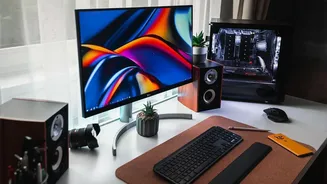
Hunching forward or craning your neck to see your screen is a primary cause of discomfort. Position your monitor directly in front of you, about an arm's length away. The top of the screen should be at or just slightly below your eye level. This allows you to maintain a neutral neck position. If you work on a laptop, this is nearly impossible without help. Use a laptop stand or even a stack of books to elevate the screen to the proper height, and use an external keyboard and mouse. If you use dual monitors, place your primary screen directly in front of you and the secondary one right next to it to minimize excessive neck twisting.
A Neutral Zone for Hands and Wrists
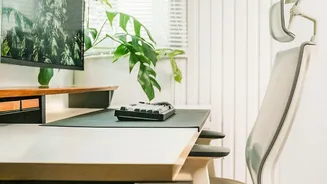
Your keyboard and mouse are where repetitive strain injuries often begin. Place your keyboard close to the edge of the desk, leaving just enough room to support your wrists if needed, and ensure it’s centered with your body. Your mouse should be right beside the keyboard to avoid reaching, which strains the shoulder. The goal is to keep your wrists straight and in line with your forearms, not bent up, down, or to the side. When not actively typing or clicking, try to relax your hands rather than letting them hover over the keys, which creates unnecessary tension.
Let There Be (the Right) Light
Lighting is one of the most overlooked aspects of desk ergonomics. Poor lighting causes eye strain, headaches, and fatigue. The biggest enemy is glare, which is reflection on your screen from a bright light source. Ideally, your desk should be perpendicular to a window, not directly in front of it or with the window right behind you. This provides natural light without creating glare or harsh backlighting. Use blinds or curtains to control intense sunlight. For indoor lighting, avoid having bright overhead lights reflect off your screen. A diffused overhead light combined with a focused task lamp for paperwork is often the best combination.
Don't Leave Your Feet Dangling
If you're on the shorter side or have raised your chair to meet a high desk, your feet might not touch the ground. This is a bigger problem than it seems, as it can hinder blood circulation and create pressure on your thighs. A footrest solves this by providing a stable surface, ensuring your feet are properly supported. Even for taller individuals, a footrest can encourage better posture by helping you sit back fully in your chair and engage the lumbar support. Dynamic or rocking footrests can also promote subtle movement, which improves circulation during long periods of sitting.
Organize Your Reach Zone
Finally, consider the placement of everything else on your desk. Your phone, water bottle, notebooks, and any other frequently used items should be within easy reach. Constantly stretching or twisting to grab something adds up over the course of a day, leading to muscle strain. Think about your primary “reach zone”—the area you can comfortably access without leaning or extending your arm fully. Keep essential tools in this zone to minimize awkward movements and maintain your good posture throughout the day.