





It’s a moment of panic for any employee: your salary slip clearly shows a deduction for your Employees' Provident Fund (PF), but when you check your EPF passbook online, the money isn't there. Your retirement savings are your right, not a benefit.
First, Don't Panic: Understand the Reasons
Before
assuming the worst, it's helpful to know that a delay doesn't always mean your employer is defaulting. Sometimes, the issue is purely administrative. Companies are required to deposit PF contributions within 15 days of the close of the month. After that, it can take some time for the Employees' Provident Fund Organisation (EPFO) to process and reflect the credit in your passbook. Common reasons for a discrepancy include simple processing lags, minor errors in your Universal Account Number (UAN) details, or a delay in the employer filing the Electronic Challan-cum-Return (ECR). So, if the contribution from last month's salary isn't visible yet, it might just be making its way through the system.
Step 1: Verify and Document Everything
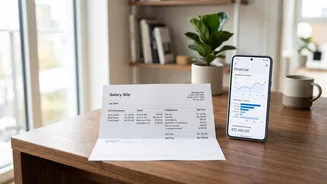
Your first move should be to gather evidence. This creates a clear record that will be crucial for all subsequent steps. Log in to the EPFO member portal and download your EPF passbook. Then, gather your salary slips for the corresponding months where contributions are missing. Compare them side-by-side. Highlight the months where a deduction was made from your salary but no corresponding credit (from both employee and employer) appears in your passbook. Save these documents as PDFs or print them out. This paper trail is your most powerful tool.
Step 2: Talk to Your HR Department
With your documents in hand, the next logical step is to approach your company's Human Resources or payroll department. Frame it as a query, not an accusation. A polite, factual email is often best as it continues your paper trail. State that you've noticed a discrepancy between your salary slips and your EPF passbook for specific months and ask for clarification. In many cases, this is enough to resolve the issue, as it could be a simple oversight they can quickly rectify. You can also ask for a copy of the ECR challan as proof of payment to the EPFO.
Step 3: File a Grievance on the EPF Portal
If your HR department is unresponsive or unable to resolve the issue, it's time to escalate it directly to the EPFO. The official channel for this is the EPF i-Grievance Management System (EPFiGMS). This online portal is designed specifically for such complaints and creates a formal, trackable record of your issue. To file a grievance, visit the EPFiGMS website, select 'Register Grievance', and choose the 'PF Member' category. You'll need your UAN to log in. From there, you will select the PF account number in question, describe the issue clearly—mentioning the specific months of missing contributions—and upload the salary slips and passbook statement you collected earlier as supporting documents.
Step 4: Tracking Your Grievance and Legal Recourse
Once you submit your complaint on the EPFiGMS portal, you will receive a unique registration number. Keep this number safe, as you can use it to track the status of your grievance on the same portal. EPFO typically aims to resolve complaints within 15 to 30 days. It's important to know that an employer deducting PF from your salary and failing to deposit it is not just a civil issue; it's an offence. The EPFO has the power to levy penalties and interest on the defaulting employer and can initiate recovery proceedings to get your money. In serious cases, it can even lead to criminal prosecution for breach of trust. You can continue to file a complaint even if you have left the company, as there is no time limit for reporting a default.