





Why Your Desk Is Hurting Your Back
Hours of sitting in a fixed position can be detrimental to your health. When your workstation isn't set up to support your body's natural posture, the effects compound. Slouching or hunching forward puts excessive strain on your spine and the muscles
in your back and neck. This forward head posture, a common result of looking down at a screen, can add significant force to your spine for every inch you lean. Over time, this sustained pressure can compress the discs between your vertebrae, lead to muscle imbalances, and contribute to chronic conditions ranging from lower back pain to tension headaches. A poorly configured workspace forces your body into unnatural positions, and what starts as minor discomfort can evolve into significant, long-term pain.
The Five-Minute Chair Fix
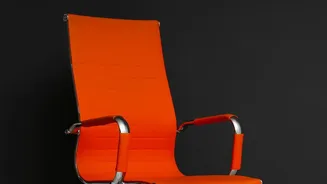
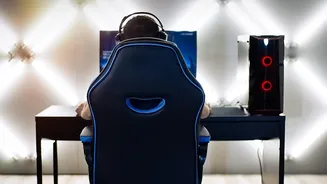
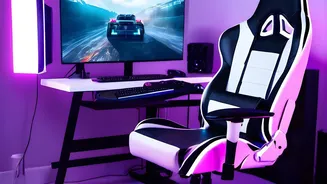
Your chair is the foundation of a healthy posture, but only if it's adjusted correctly. Start with your seat height: your feet should be flat on the floor with your knees at or slightly below the level of your hips, forming a 90-degree angle. If your feet dangle, use a footrest. Next, adjust the seat depth. You should be able to fit two or three fingers between the front edge of the seat and the back of your knees. This prevents pressure on your legs. Most importantly, use the lumbar support. Position it to fit the natural curve in your lower back, roughly at your belt line. If your chair lacks built-in support, a rolled-up towel can work in a pinch. Finally, set your armrests so your shoulders are relaxed and your elbows form a 90 to 100-degree angle, allowing your forearms to be parallel to the floor.
Positioning Your Monitor Perfectly
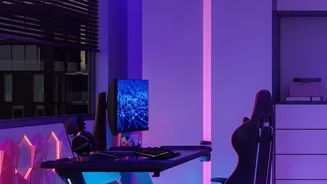
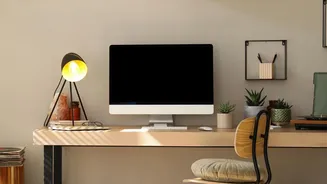
Incorrect monitor placement is a primary cause of neck and upper back pain, often referred to as 'tech neck'. The rule of thumb is to position the top of your monitor screen at or slightly below your eye level. This encourages a neutral neck position, preventing you from craning your head up or, more commonly, slumping down. The screen should be about an arm's length away from you—typically 20 to 28 inches. If you wear bifocal or progressive lenses, you may need to lower your monitor more than usual and tilt it back to avoid tilting your chin up to see clearly. If you use two monitors, place your primary screen directly in front of you and the secondary one angled beside it. If you use both equally, center yourself between the two angled inwards.
Small Tweaks, Big Impact
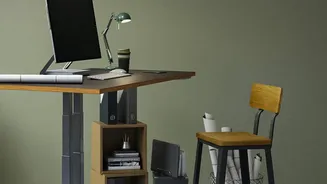
Beyond the chair and monitor, other small factors contribute to your overall comfort. Your keyboard and mouse should be positioned close enough to prevent reaching and at a height that allows your wrists to remain straight and neutral. This helps avoid strain on your wrists, arms, and shoulders. Keep frequently used items within easy reach to avoid constant twisting and stretching. However, perhaps the most critical ergonomic adjustment has nothing to do with equipment. The human body wasn't designed for static posture. Make it a point to get up and move every 30 to 60 minutes. A short walk or a few simple stretches can increase blood flow, reduce muscle fatigue, and counteract the negative effects of prolonged sitting.