





The Golden Rule: Never Scan to Receive Money
This is the single most important rule to remember. You only ever need to scan a QR code when you are paying someone. You never need to scan a code or enter your PIN to receive money. Scammers exploit a common misunderstanding about how QR codes work.
They might send you a QR code, perhaps over WhatsApp after an online marketplace interaction, claiming it is for sending you money for an item you sold. However, scanning a QR code and authorising it with your PIN always results in money being debited from your account. If someone asks you to scan a code to get paid, it is a scam. Full stop.
Always Verify Merchant Details Before Paying
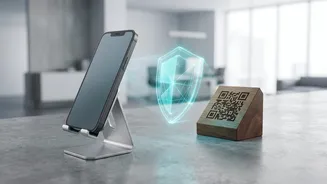
Before you enter your UPI PIN, your payment app will display the name of the person or merchant you are about to pay. Make it a habit to always read this name carefully. Scammers often place a fake QR code sticker over a genuine one at shops, petrol pumps, or restaurants. You might think you're paying the local kirana store, but the name displayed could be an individual's name or something completely unrelated. If the name on the screen does not match the merchant you intend to pay, cancel the transaction immediately and alert the shop owner. This small check can prevent your payment from being diverted to a fraudster's account.
Beware of 'Enter Amount' QR Code Scams
A particularly deceptive trick involves a QR code that doesn't have a pre-filled amount. A fraudster posing as a buyer might send you such a code and say, "Scan this, enter the amount you want to receive, and then enter your PIN." This is a lie designed to confuse you. When you scan the code, your app opens a payment screen. By entering an amount and your PIN, you are authorising a payment from your account for that exact sum. The scammer is tricking you into sending them money under the guise of receiving it. Remember, receiving money is automatic and never requires you to enter an amount or a PIN.
Resist Urgency and Pressure Tactics
Fraudsters thrive on creating a sense of panic or urgency. They might claim an offer is valid for only a few minutes or that there's a problem with your account that needs immediate action. This is a social engineering tactic designed to make you act without thinking. Whether it's a supposed buyer in a hurry or a fake customer care executive, always take a moment to pause and think. A legitimate transaction will not fall through if you take a few extra seconds to verify the details. If someone is pressuring you to scan a code or enter your PIN quickly, it's a major red flag.
Use Official Apps and Secure Networks
Always download UPI-enabled apps from official sources like the Google Play Store or Apple's App Store. Scammers create malicious fake apps that look identical to genuine ones to steal your financial data. Furthermore, avoid making transactions over public or unsecured Wi-Fi networks, as hackers can potentially intercept your data. Stick to your mobile data or a trusted, password-protected Wi-Fi network for all financial transactions. Also, ensure your UPI app is always updated to the latest version to benefit from the newest security features rolled out by the NPCI and banks.
Check Your Transaction History and SMS Alerts
Make it a practice to regularly review your transaction history in your banking and UPI apps. Most genuine UPI transactions also trigger an immediate SMS alert from your bank. If you do not receive an alert after a supposed payment, it could be a sign of a fake or failed transaction. If you notice any unauthorised activity, no matter how small, report it immediately. Quick reporting is crucial. Call your bank to block the transaction if possible and report the incident to the National Cyber Crime Reporting Portal at 1930.