




Start From the Ground Up
Before you even think about your back, look at your feet. The foundation of a healthy posture starts with how you connect to the floor. Your feet should rest flat, either on the ground or on a footrest. Your knees should be bent at roughly a 90-degree
angle, with your hips level with or slightly higher than your knees. This position helps distribute your weight evenly and reduces stress on your lower back. If your feet are dangling, you’re putting unnecessary pressure on your thighs and back. If your knees are pushed up too high, it can cause your pelvis to tilt backward, flattening the natural curve of your spine and leading to slouching.
Dial in Your Chair Support
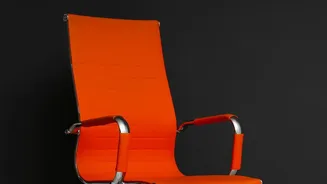
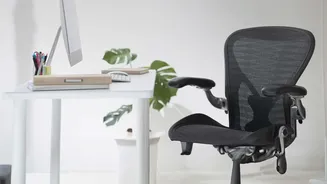
Your office chair is your primary support system. To make it work for you, sit all the way back so that your buttocks are pressed against the back of the chair. This allows the chair’s lumbar support to do its job. A quality ergonomic chair should have adjustable lumbar support that fits into the natural inward curve of your lower back. If your chair lacks this, a small rolled-towel or a dedicated lumbar pillow can serve the same purpose. This simple support is crucial for preventing the lower back from collapsing into a C-shape, which strains spinal discs and muscles over time. The depth of the seat is also important; you should be able to fit a clenched fist between the front edge of the seat and the back of your calves.
Align Your Arms and Shoulders
Once your lower body and back are set, turn your attention to your armrests and desk height. Your arms should be relaxed, with your elbows resting comfortably at about a 90-degree angle. Adjust the armrests so they are high enough to support your elbows without causing your shoulders to hunch up toward your ears. Your shoulders should be relaxed and down, not rounded forward. This alignment prevents tension from building up in your shoulders and neck, which can indirectly contribute to back pain as your body tries to compensate for the strain. Your keyboard and mouse should be close enough that you can use them without reaching or twisting.
Set Your Monitor at the Right Height
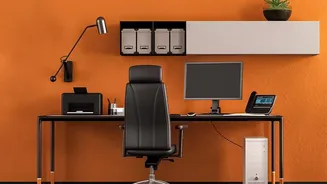
Your monitor’s position dictates your head and neck posture, which has a direct effect all the way down your spine. The rule of thumb is to position your monitor so the top of the screen is at, or slightly below, your eye level. Your eyes should naturally gaze toward the top third of the screen when looking straight ahead. If your monitor is too low, you'll instinctively crane your neck and round your shoulders forward to see it, putting strain on both your neck and your lower back. If it's too high, you'll tilt your head back, compressing the vertebrae in your neck and potentially arching your lower back. The screen should also be about an arm's length away, close enough to read text easily without leaning in.
Don’t Forget to Move
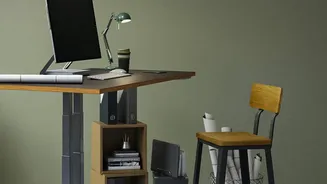
Even the most perfectly ergonomic setup cannot replace the body's need for movement. Sitting in a static position for prolonged periods is a major cause of back pain and stiffness. Our bodies are designed to move. Set a timer to remind yourself to get up and walk around for a few minutes every 30 to 60 minutes. These short breaks improve circulation, relieve pressure on your spinal discs, and prevent your muscles from becoming stiff. Simple stretches, like reaching for the ceiling or gently twisting your torso, can also make a significant difference in how you feel at the end of the day. For those with access to one, alternating between sitting and standing at an adjustable desk is another excellent way to combat a sedentary work style.