


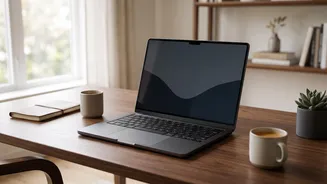
That tired, scratchy feeling in your eyes after a long day on your laptop is all too common. Much of that discomfort comes down to two key factors: screen brightness and glare. Understanding how they work is the first step to a more comfortable view.
Decoding Brightness: What Are Nits?
When you look at a laptop's specifications, you might see its brightness measured in 'nits'. A nit is a standard unit of luminance, measuring how much light a screen emits. The higher the number of nits, the brighter the screen can get. For typical indoor use, a screen with 250 to 350 nits is usually sufficient. This range is comfortable for working in a standard office or at home. However, if you often work near a bright window or plan to use your laptop outdoors, you'll want a screen with 400 nits or more to combat the ambient light and remain readable. A screen that is too dim for its environment will cause you to squint, while one that is too bright can feel harsh and overwhelming.
The Glare Problem: A Tale of Two Screens
Glare occurs when external light sources, like overhead lights or a window, reflect off your screen, creating distracting bright spots and forcing your eyes to work harder. How a laptop handles glare largely depends on its screen finish: glossy or matte. A glossy screen has a smooth, reflective surface. This allows for colours to appear more vibrant and blacks to look deeper, which is great for watching movies or photo editing in a controlled, dimly lit room. The downside is that they act like a mirror in bright environments, creating sharp, distracting reflections that are a direct cause of eye strain. A matte screen, on the other hand, has a special anti-glare coating that diffuses light instead of reflecting it directly. This makes it a far better choice for working in offices or spaces with unpredictable lighting, as it significantly reduces distracting reflections. The trade-off is that this coating can sometimes make the image appear slightly less sharp or vibrant compared to its glossy counterpart.
The Golden Rule: Match Your Screen to Your Room
The single most important principle for eye comfort is to match your screen's brightness to the ambient light in your surroundings. Think of your screen as a piece of paper; it should be about as bright as the room around it. If your screen is a brilliant light source in a dark room, your eyes have to constantly adjust between the bright display and the dark periphery, causing fatigue. Conversely, if your screen is too dim in a bright room, you'll strain to see the content. Many modern laptops have an auto-brightness feature that handles this for you. If not, get into the habit of manually adjusting your brightness levels when your lighting conditions change, such as when the sun sets. Proper screen positioning is also crucial; place your monitor about an arm's length away, with the top of the screen slightly below eye level, and angled to avoid direct reflections from windows or lamps.
Beyond Brightness: More Tips for Happy Eyes
While managing brightness and glare is a huge step, other habits can further reduce digital eye strain. The 20-20-20 rule is highly recommended: every 20 minutes, take a 20 second break to look at something 20 feet away. This simple exercise relaxes the focusing muscles in your eyes. Additionally, remember to blink. We tend to blink up to 50% less when staring at a screen, which leads to dry, irritated eyes. Making a conscious effort to blink more often can help. Most operating systems now include a 'night light' or 'night mode' feature. This reduces the amount of blue light emitted by the screen, making it appear warmer and potentially easier on the eyes in the evening, which may also help regulate sleep cycles. While research on blue light's direct link to eye strain is mixed, many users report greater comfort when using these filters at night.