






The 90-Degree Rule: Your Best Starting Point
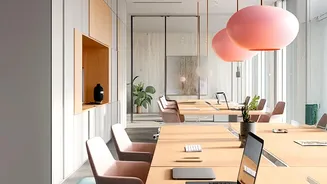
The single most effective way to set up your desk is to place it perpendicular to the window. This means the natural light will come from your left or right side. This orientation is widely considered the best for productivity and comfort because it significantly
reduces the screen glare you'd get if the window were behind you, and it prevents the eye strain that comes from facing a bright window directly. Ergonomics experts and even workplace safety guidelines recommend positioning screens at a right angle to windows. This setup provides ample daylight for your workspace without washing out your monitor or forcing your eyes to constantly adjust between a bright outside world and a dimmer screen.
Positioning for Comfort and Focus
Once your desk is perpendicular to the window, think about which side the light comes from. A common ergonomic tip is to position the window on the opposite side of your dominant hand. If you are right-handed, place the window to your left; if you are left-handed, place it to your right. This simple trick helps to minimize shadows cast by your hand as you write or use your mouse. Beyond that, consider the 'commanding position' often mentioned in feng shui: arranging your desk so you can see the door to the room. This can create a greater sense of psychological comfort and control over your space, as you won't feel like someone could enter unseen behind you.
Managing Glare and Reflections
Even with a perfect side-on setup, you may still have to manage glare as the sun moves throughout the day. Your first line of defense should be window treatments. Sheer curtains or light-filtering blinds are excellent options because they diffuse harsh, direct sunlight into a soft, even glow without completely blocking out the natural light. If you still notice reflections, you can make small adjustments to your monitor. Tilting the screen slightly downwards can often eliminate a persistent reflection. For stubborn glare, an anti-glare screen filter is an effective accessory that can be placed directly over your monitor.
Balancing the Light to Reduce Eye Strain
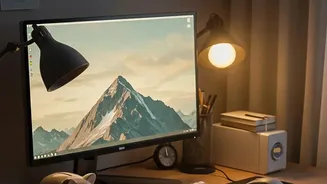
A common mistake is relying solely on the window for light. A very bright light source on one side and a dark room on the other can create high contrast, which forces your eyes to work harder. To combat this, you need to balance the light. Ensure your screen's brightness is adjusted to match the overall light level in the room. More importantly, add another light source to fill in the shadows. A good, adjustable desk lamp is an essential tool. Place it on your desk to provide focused task lighting on your keyboard and papers, which creates a more evenly lit environment and reduces visual fatigue.
Remember to Take Visual Breaks
No matter how perfect your lighting setup is, your eyes still need regular breaks from staring at a screen at a fixed distance. This is where having a window nearby provides another benefit: a view. Practice the '20-20-20' rule throughout your workday. Every 20 minutes, take a 20-second break to look at something at least 20 feet away. Looking out your window is a perfect way to do this. This simple habit allows your eye muscles to relax and refocus, which is a proven method for reducing digital eye strain, dryness, and headaches.