





Rule 1: Never Scan a QR Code to Receive Money
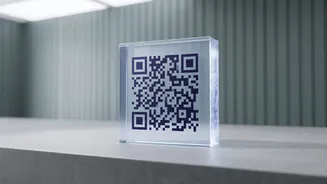
This is the golden rule of UPI safety. Scammers, often posing as buyers on online marketplaces, will send you a QR code and ask you to scan it to 'receive' payment. However, QR codes are only ever used to send money. When you scan their code and enter
your PIN, you are actually authorising a payment from your account to theirs. Remember, no legitimate transaction requires you to scan a code or enter your PIN to get paid. If someone tells you to do this, it is a guaranteed scam.
Rule 2: Understand 'Pay' vs. 'Request'
Fraudsters exploit a feature called 'Collect Request'. They will send you a payment request for a certain amount, but with a misleading message like "Enter your PIN to receive your cashback of Rs. 500." Many people, in a hurry, approve the request thinking they are about to receive money. Always read the pop-up on your UPI app carefully before entering your PIN. It will clearly state whether you are 'Paying' or if it's a 'Request from' someone. Decline all unknown or suspicious collect requests.
Rule 3: Beware of Phishing and Fake Links
Scammers send SMS or WhatsApp messages that look like they are from your bank, a delivery company, or even the electricity board. These messages create a sense of urgency, warning that your KYC is expiring, your account is blocked, or your power will be cut. They contain a link that leads to a fake website designed to look like the real thing. If you enter your login details, card number, or UPI PIN on these sites, the information goes straight to the scammer. Never click on suspicious links. Always go to the official website or app directly.
Rule 4: Guard Against Screen Sharing Scams
If you post a complaint about a failed transaction on social media, you might get a call from a 'customer support executive'. This person will sound helpful and professional, offering to fix your issue. They will then ask you to download a 'support' app like AnyDesk or TeamViewer. These are remote access apps that allow the scammer to see your phone screen in real-time. Once they can see your screen, they will ask you to open your banking app and will be able to see your PIN as you type it, giving them full access to your account. Never install an app at the direction of an unknown person on the phone.
Rule 5: Verify Before You Trust
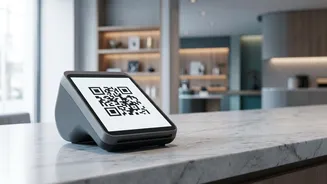
Before authorising any payment, always double-check the recipient's name that appears on your UPI app screen. Scammers sometimes paste their own QR code sticker over a legitimate merchant's code at shops or petrol pumps. A quick verification of the name can prevent you from paying the wrong person. Similarly, if you receive a call from someone claiming a family emergency and asking for urgent money, hang up and call that family member back on their known number to verify the situation. AI voice-cloning scams are a rising threat.
Rule 6: Practice Good UPI Hygiene
Simple habits can provide strong protection. First, never share your UPI PIN or OTP with anyone—no bank, RBI official, or police representative will ever ask for it. Second, use the security features on your phone and apps. Enable a screen lock on your phone and a separate app lock (using a fingerprint or PIN) for your UPI apps. Finally, consider setting a lower daily transaction limit for your UPI account through your banking app to minimise potential losses in case of a fraud.
What to Do If You Are Scammed
Time is critical. The moment you realise you've been scammed, call the National Cyber Crime Helpline at 1930 immediately. This is the most important step, as it can help get the recipient's account frozen. Next, report the fraudulent transaction to your bank and also file a formal complaint on the National Cyber Crime Reporting Portal at cybercrime.gov.in. You should also report the transaction within the UPI app you used. Keep all transaction details and reference numbers from your complaints safe.