
Start with Your Chair Height
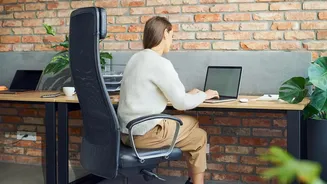
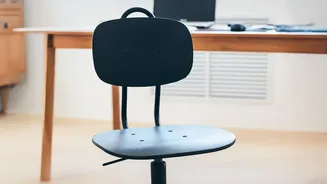
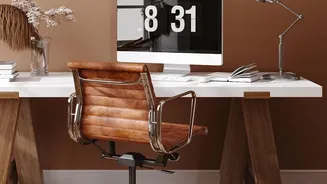
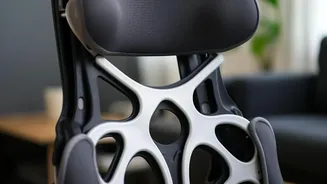
Your chair is the foundation of your workspace, but even a basic one can be optimized. The first step is to adjust its height. Your goal is to have your feet resting flat on the floor with your thighs parallel to the ground. If your chair is too high and
your feet dangle, use a footrest or a stack of sturdy books to provide support. If it’s too low, causing your knees to be higher than your hips, use a firm cushion to raise your seating position. This simple change ensures your pelvis is in a neutral position, which is crucial for preventing lower back strain. Sit all the way back in the chair so your spine is supported by the backrest.
Position Your Monitor at Eye Level
One of the most common ergonomic mistakes is having the monitor at the wrong height, leading to what’s often called “tech neck.” When you constantly look down, you put significant strain on your neck and upper back muscles. Your screen should be positioned so that the top third of the monitor is at or slightly below your eye level. It should also be about an arm's length away from you. If you're working on a laptop, this is nearly impossible without help. Elevate your laptop on a stack of books or a dedicated stand and use a separate keyboard and mouse. This decouples the screen from the keyboard, allowing you to position both correctly.
Bring Your Keyboard and Mouse Closer
Reaching forward for your keyboard and mouse can cause shoulder and neck tension. Your keyboard should be placed on the same surface and close enough so that your elbows can remain near your body, bent at roughly a 90-degree angle. Your wrists should be in a straight, neutral position, not bent up or down. Keep your most-used items, like your mouse, phone, or a notepad, within easy arm's reach to avoid frequent twisting or over-extending, which can strain your back and shoulders over time.
Check for Lumbar Support
Slouching forward creates a “C” shape in your spine, placing immense pressure on your lower back. Your chair should support the natural inward curve of your lumbar spine. If your chair lacks built-in adjustable lumbar support, you don’t need to rush out and buy a new one. A rolled-up towel or a small cushion placed at the small of your back can work wonders to provide the necessary support and encourage a healthier posture. The goal is to fill the gap between your lower back and the chair, preventing you from slumping as the day goes on.
Manage Lighting and Reduce Glare
Poor lighting is an often-overlooked aspect of workspace ergonomics that can cause eye strain and headaches, leading you to lean forward into uncomfortable positions to see your screen better. Position your monitor so that windows are to the side, not directly in front or behind it, to minimize glare. If you can’t avoid glare from overhead lights or windows, adjust your screen’s brightness and contrast settings. A simple desk lamp can also provide focused light on your documents without creating distracting reflections on your screen.
Incorporate Movement into Your Day
Even the most perfectly ergonomic setup can't compensate for a static posture held for hours. Prolonged sitting reduces blood flow and increases stiffness. Perhaps the most crucial adjustment you can make is to your routine. Set a reminder to get up, stretch, and walk around for a few minutes at least once every hour, though every 30 minutes is even better. These short breaks allow your muscles to relax, promote circulation, and give your eyes a rest from the screen. Simply shifting your position, standing up to take a phone call, or doing a few simple stretches at your desk can make a significant difference in how you feel.