








What Is DigiLocker and Why Use It?
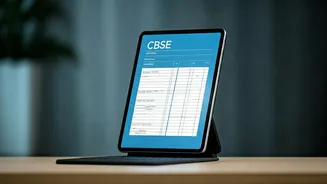
DigiLocker is a flagship initiative under the Digital India program that provides citizens with a secure, cloud-based platform for storing, sharing, and verifying documents and certificates. For students, it's a digital wallet for all your essential academic
records. Instead of waiting for physical copies, you can get instant access to your official, digitally signed marksheet, migration certificate, and passing certificate directly from CBSE. These digital documents are legally valid under the IT Act, 2000, and are accepted by colleges and employers, making admissions and job applications faster and more efficient. The platform is designed to prevent fraud, reduce administrative hassle, and eliminate the risk of losing or damaging your important papers.
Activating Your Account with the Security PIN
To ensure the privacy and security of your results, CBSE has introduced a 6-digit Security PIN for activating your DigiLocker account. This PIN is provided by your school, which receives the student-wise codes directly from the board. It is your school's responsibility to share this unique PIN with you securely. This code is the key to linking your CBSE records to your DigiLocker account for the first time. If you haven't received your PIN, you must contact your school immediately, as it's essential for a smooth and quick process on result day.
Step-by-Step: Accessing Your Marksheet
Once results are declared, follow these simple steps to download your documents. 1. **Visit the DigiLocker Portal**: Go to the DigiLocker website (digilocker.gov.in) or download the app from the Google Play Store or Apple App Store. 2. **Sign In or Sign Up**: If you are a new user, you will need to create an account. Existing users can sign in with their registered mobile number or Aadhaar number. 3. **Account Confirmation (For First-Time Users)**: Go to the CBSE section or the specific activation link (cbseservices.digilocker.gov.in/activatecbse). Select your class (X or XII), and enter your school code, roll number, and the 6-digit Security PIN provided by your school. You will receive an OTP on your mobile number to complete the activation. 4. **Navigate to 'Issued Documents'**: Once logged in, go to the 'Issued Documents' section. Because you activated your account with the school PIN, your documents should be automatically 'pushed' here. 5. **Select Your Marksheet**: Look for 'Central Board of Secondary Education (CBSE)'. Click on 'Class X Marksheet' or 'Class XII Marksheet' for the year 2026. 6. **Download and Save**: Your digital marksheet will appear on the screen. You can download it as a PDF, which is digitally signed and valid for all official purposes.
Troubleshooting and Important Tips
On result day, high traffic can sometimes slow down websites. DigiLocker helps ease this burden, but it's wise to be prepared. Activate your account *before* the results are announced to avoid any last-minute issues. If you've already registered on DigiLocker using your Aadhaar number, you might just need to navigate to the 'Education' category and fetch the document by entering your roll number and other details. Some students with an existing, linked APAAR ID may find their documents automatically in the 'Issued' section. If you encounter any issues with a missing PIN or incorrect details, the first point of contact should always be your school. Remember to save a digital copy of your marksheet on your device and a printout for your records.
More Than Just a Marksheet
Your DigiLocker account is a valuable tool long after you've celebrated your results. Beyond your Class X and XII marksheets and migration certificates, you can use it to store a wide range of official documents. This includes your Aadhaar card, PAN card, driving licence, and vehicle registration certificates. Many government agencies and universities are integrated with the platform, allowing you to share verified documents with a single click. By familiarising yourself with DigiLocker now, you are adopting a smarter, paperless way of managing your essential credentials for future academic and professional milestones.