






From Blank Page to Polished Draft
AI writing assistants are no longer a novelty; they are sophisticated tools that can significantly speed up the job application process. These platforms, which range from general-purpose assistants like ChatGPT and Claude to specialized career tools like Jobscan
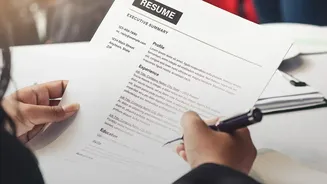
and Kickresume, can help you move from a rough idea to a nearly-finished draft in minutes. Their primary strength lies in their ability to brainstorm, rephrase, and refine. Instead of asking an AI to "write a resume," which often results in generic and robotic text, the best approach is to start with your own draft and use the AI as an editor. Provide it with your experiences and the job description, then ask it to suggest stronger action verbs, improve clarity, or tailor your content to a specific role.
Refining Your Resume Summary for Impact
A resume summary is often the first thing a recruiter reads. It must be concise, powerful, and tailored. AI can help you achieve this by analyzing a job description for key skills and qualifications. You can then use prompts to rewrite your summary, aligning it with the role while keeping your achievements central. For example, a useful prompt might be: “Rewrite my professional summary to be under 70 words, sound conversational but polished, and incorporate these keywords: [list keywords from job ad].” This forces the AI to be specific and avoids the vague, filler language that recruiters often see. Another effective technique is to ask the AI to turn your responsibilities into measurable, results-focused achievements, transforming weak statements into strong proof of your capabilities.
Crafting Formal Emails Recruiters Will Read
Whether you're sending a cold outreach email, a follow-up after an interview, or a thank-you note, your tone and clarity are crucial. AI tools excel at adjusting the tone of your writing. You can provide a blunt draft and ask the AI to make it more diplomatic, professional, or confident. A good practice is the "draft-then-direct" loop: give the tool the facts, the intended reader, and the desired tone. Let it generate a draft, then you correct it, add a specific detail only you would know, and ensure every fact is accurate before sending. This prevents your message from sounding impersonal and ensures your unique voice remains. Many hiring managers can spot the tell-tale signs of unedited AI, such as overly formal language or repetitive phrases, so a final human touch is non-negotiable.
The Art of the Prompt: Better Inputs, Better Outputs
The quality of AI-generated text is entirely dependent on the quality of your instructions, or prompts. Vague prompts lead to generic results. Instead of “make my resume better,” a more effective prompt is: “Act as a recruiter for a [tech] company. Review my resume and tell me why I would or wouldn't get an interview for a [Senior Product Manager] role.” This gives the AI a specific role and context. When tailoring your resume, you can ask the tool to compare it against a job description and identify missing keywords or suggest where your experience aligns most closely. The key is to be specific, provide context, and guide the AI toward a clear goal rather than handing over control.
The Human Element: Avoiding Common Pitfalls
While AI is a powerful assistant, it is not a replacement for human judgment. Most recruiters and hiring managers are not against the use of AI, but they can easily spot applications that are generic, impersonal, or contain inaccuracies. In fact, some surveys indicate over half of hiring managers believe they can tell when a resume is AI-generated, largely because they see the same generic phrases repeatedly. Never copy and paste AI output blindly. Always fact-check every detail, as AI can “hallucinate” or invent information. Most importantly, ensure the final product sounds like you. The goal is to create an application that reads like you on your best day—clear, confident, and authentic.