






SkyView Lite: Your Augmented Reality Window
SkyView Lite is a fantastic starting point for any budding urban astronomer. Its standout feature is the use of augmented reality (AR). You simply point your phone at the sky, and the app uses your camera and location to overlay information directly onto
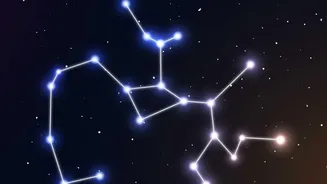
your view. Suddenly, that bright dot you’ve been wondering about is identified as Jupiter, or you can trace the shape of a constellation you’ve never been able to find. The app is intuitive and works day or night. It can identify stars, constellations, planets, and even passing satellites like the International Space Station (ISS). One of its most practical features is that it doesn't require a WiFi or GPS signal to function, making it perfect for taking to a local park or any spot where you might get a clearer view. Both free versions for iOS and Android are robust, making it one of the most recommended free apps.
Stellarium Mobile Free: The Pocket Planetarium
Stellarium has long been a favourite desktop planetarium for amateur astronomers, and its mobile version brings that power to your pocket. The free app offers a highly accurate and realistic simulation of the night sky for any date, time, and location. While it can use your phone's sensor to identify what you're pointing at, its strength lies in its vast database. The free version includes a catalog of many stars, nebulas, galaxies, and all known planets and their satellites. It’s perfect for planning your stargazing session. You can see what planets will be visible later in the evening or what time the Moon will rise. The app also features a 'night mode' which turns the interface red, helping to preserve your night vision as your eyes adjust to the darkness. This is a critical feature for urban stargazing, where every bit of light adaptation counts.
Star Walk 2 Free: Great for Beginners
Star Walk 2 is another beautifully designed app that is praised for being exceptionally beginner-friendly. Like SkyView, it uses your phone's sensors to provide a real-time, motion-tracked map of the sky. Just point your device, and you’ll see stars, planets, and constellations identified with artistic flair. One of its unique features is the 'Time Machine', which allows you to slide time forward or backward to see how the sky will look or how it looked in the past. This is great for understanding the movement of celestial bodies. The free version is supported by ads but offers a wealth of information and stunning visuals, including 3D models of constellations that help you visualise their shape in space. It’s an engaging tool that makes learning about the cosmos feel like an adventure.
Essential Tips for Urban Stargazing
An app is a powerful tool, but your viewing experience also depends on your technique. First, manage your expectations. In a city, you'll primarily be able to see the Moon, bright planets like Venus, Mars, Jupiter, and Saturn, and the brightest stars and constellations. Light pollution will wash out fainter objects. To maximize what you can see, find the darkest spot available. This could be a rooftop, a park, or even just a corner of your balcony shielded from a direct streetlight. Turn off any lights you can control. Crucially, give your eyes at least 20-30 minutes to adapt to the dark; avoid looking at your bright phone screen during this time. Many apps have a red-light 'night mode' to help with this. Finally, be patient. The longer you look, the more your eyes will adjust and the more stars will seem to appear.