



Understanding Text-to-Video AI
Text-to-video AI models are systems that generate video clips from written descriptions, known as prompts. In 2026, leading platforms like OpenAI's Sora, Runway, Pika, and Kling can produce short, high-quality video clips that are increasingly realistic.
While these tools are not yet capable of producing a full feature film on their own, they excel at creating specific, contained shots. The technology has moved beyond simple text-to-video and now often involves combining text prompts with reference images to guide the output, giving creators more control over style and composition. Think of these tools not as automated filmmakers, but as an infinite, on-demand library of custom visual assets.
Accelerate Pre-Production and Storyboarding
One of the most immediate benefits of text-to-video AI is in the pre-production phase. Instead of static storyboards or text-based treatments, editors and directors can generate animated visualizations of key scenes. This process, known as pre-visualization or "previz," helps align the creative team and stakeholders on a concept much faster. A prompt like, “dramatic low-angle shot of a hero looking over a futuristic city at dawn,” can produce a tangible visual that clarifies the director's intent, saving valuable time and avoiding misunderstandings before the expensive production phase even begins.
Generate Custom B-Roll on Demand
Sourcing b-roll, or supplemental footage, is a notoriously time-consuming task for editors. It often involves sifting through hours of stock footage libraries to find a clip that mostly fits. Text-to-video AI completely changes this dynamic. An editor can now generate the exact b-roll they need by writing a detailed prompt. For example, instead of searching for "person typing," they can generate a clip that matches their project's specific aesthetic, such as: “cinematic close-up of hands typing on a mechanical keyboard, warm office lighting, shallow depth of field.” This not only saves hours of searching but also provides perfectly tailored visuals that stock footage often cannot match.
Create Placeholders and Fill Gaps
In any edit, there are inevitably missing shots or gaps that need to be filled later. Traditionally, editors would use a black screen with text slugs like "[INSERT SHOT OF CITY AT NIGHT]". This can disrupt the flow of a review session and make it difficult for clients to visualize the final product. With AI, an editor can quickly generate a temporary placeholder clip that approximates the missing shot. This creates a more seamless offline edit, helps maintain the rhythm and pacing of the sequence, and provides a much clearer picture for client approvals, even in the early stages of the post-production process.
Integrating AI into Your Editing Software
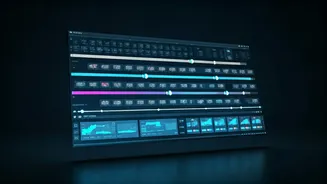
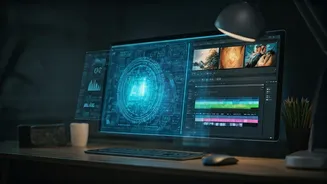
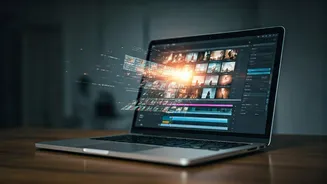
While many AI video tools are web-based, the integration with professional non-linear editing (NLE) software like Adobe Premiere Pro and DaVinci Resolve is rapidly improving. Adobe has its own integrated generative AI, Firefly, which allows for some in-app generation and editing. Plugins from companies like Higgsfield are also emerging, allowing editors to generate or modify clips with a text prompt directly within their Premiere Pro timeline, eliminating the need to download and import footage from a separate application. For tools without direct integration, the workflow involves generating clips on the platform, downloading them, and importing them into your project bin, just as you would with traditional stock footage.
Best Practices and Current Limitations
To get the best results from text-to-video AI, effective prompt writing is key. Modern prompts are not just conversational descriptions; they are technical call sheets. Specify the subject, action, camera angles, lighting, and visual style for better control. It's also important to be aware of the technology's current limitations. As of 2026, AI models can still struggle with complex physics, generating consistent characters across multiple shots, and depicting fine details like hands. The output often requires a human editor's eye to select the best takes and seamlessly integrate them. The goal is to use AI for the grunt work, freeing up human creativity for storytelling and refinement.