


What Really Causes Screen Glare?
Glare is simply the reflection of light off your screen. It comes in a few frustrating forms. Direct glare happens when a light source, like a window or a bright lamp, shines right into your eyes. Reflected glare, the most common culprit for screens,
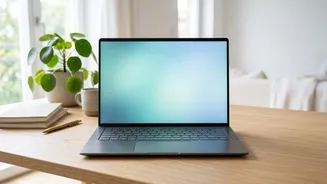
is when light bounces off the display's surface, creating mirror-like images or a hazy wash that obscures what you are trying to see. Glossy screens are particularly prone to sharp, distracting reflections, while matte screens have a special coating designed to diffuse light, making those reflections less noticeable. However, even matte screens can struggle in very bright conditions.
The Truth About Screen Brightness
Many people think a brighter screen is always better, but that is a myth. The ideal screen brightness depends entirely on your environment. Your screen should roughly match the brightness of the room you are in. If you are working in a dimly lit room, a screen that's too bright acts like a light source itself, forcing your pupils to constantly adjust and leading to eye strain. Conversely, a screen that is too dim in a bright room will make you squint to see, causing its0 own set of problems. Brightness is measured in 'nits'; for typical indoor office use, a range of 250 to 350 nits is often sufficient, but you might need 400 nits or more if you're near a bright window. The goal is balance, not maximum power.
Positioning Is Your First Line of Defence
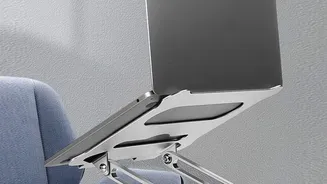
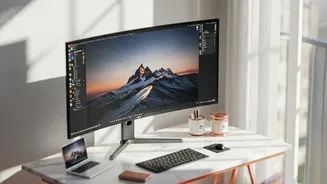
Before you spend any money, try changing your setup. The easiest way to reduce glare is to control its source. Position your laptop so that bright light sources, especially windows, are to the side of your screen, not directly in front of or behind you. Tilting the screen down slightly can often eliminate reflections from overhead lights. The ideal position is to have the screen about an arm's length away (20-28 inches) with the top of the screen just below eye level. Sometimes, a simple change in your chair's position or the angle of your laptop is all it takes to find a clear, comfortable view.
Control Your Room's Lighting
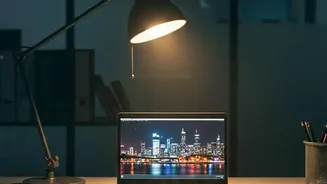
Your screen does not exist in a vacuum. The light around it plays a huge role in comfort. Avoid working in a completely dark room, which creates high contrast between the screen and your surroundings, leading to fatigue. Instead, use soft, indirect ambient light. A simple desk lamp pointing at a wall behind your monitor can work wonders. If you have windows, use blinds or curtains to diffuse harsh sunlight. The goal is to create an evenly lit space that reduces the difference in brightness between your screen and what's behind it, making it easier for your eyes to stay focused.
Helpful Hardware and Software
If positioning and ambient light are not enough, you have other options. An anti-glare screen protector is an affordable way to add a matte finish to a glossy display, scattering reflections. When buying a new laptop, consider one with a matte display if you frequently work in bright or varied environments. Your computer's software can also help. Use features like 'Night Light' in Windows or similar functions on other operating systems to reduce blue light and warm the screen's colour temperature in the evening. Adjusting your system's text size and contrast can also improve readability and reduce strain.
Don't Forget Your Eye Health Habits
Finally, managing eye comfort is also about how you use your eyes. Remember to practice the 20-20-20 rule, which is highly recommended by optometrists. Every 20 minutes, take a 20 second break to look at something at least 20 feet away. This simple exercise allows the focusing muscles in your eyes to relax, preventing the fatigue that builds up during prolonged screen time. Also, make a conscious effort to blink more often. When we stare at screens, our blink rate can drop significantly, leading to dry, irritated eyes. Regular breaks and conscious blinking are free, easy ways to protect your vision.