






The Magic and Method of a Monsoon Drive
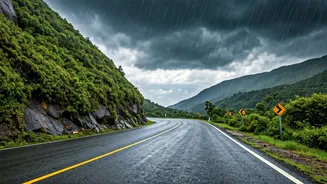
There's a unique romance to driving through the Western Ghats during the monsoon. The landscape transforms into a canvas of a thousand shades of green, waterfalls appear from nowhere, and the air is thick with the scent of wet earth. This is what calls
to the 'monsoon chaser'—the enthusiast who actively seeks out these rain-soaked vistas. But experienced travellers know that this beauty comes with challenges. Poor visibility, slippery roads, and the potential for flash floods or landslides are real risks. The key to a successful and safe trip isn't avoiding the rain, but preparing for it. It means swapping spontaneity for smart planning and using modern tools to stay one step ahead of the weather, turning a potentially risky drive into a well-managed adventure.
Official Weather Intel: Your First Port of Call
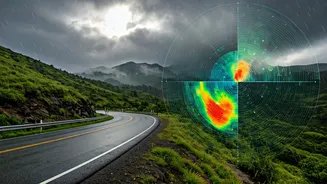
Before you even think about routes, get your weather information from the source. The India Meteorological Department (IMD) is the most reliable authority. Their official 'Mausam' app provides location-specific forecasts, weather warnings (colour-coded for severity), and Doppler radar imagery that shows real-time rain patterns. This is crucial for understanding not just if it will rain, but how intensely. For instance, an 'Orange' alert might suggest reconsidering a drive through a known landslide-prone area. Another invaluable IMD tool is the satellite imagery on their website. It lets you see cloud cover and movement over the entire peninsula, helping you anticipate heavy spells hours in advance. Don’t rely on generic phone weather widgets; use the official tools that disaster management agencies themselves depend on.
Real-Time Road Conditions
A clear weather forecast means little if the road ahead is blocked. This is where crowd-sourced traffic apps become indispensable. Google Maps is your baseline. Its traffic layer (the red, orange, and green lines) is surprisingly accurate even on smaller state highways. More importantly, look for the road closure icons and user-reported incidents. Waze is another excellent option, as it is built entirely around a community of drivers reporting hazards, police presence, and blockages in real time. Before leaving, search for your route on Twitter or other social media platforms using keywords like 'Amboli Ghat traffic' or 'Lonavala landslide'. Often, local journalists, police departments, or fellow travellers will post the very latest updates there.
Harnessing Community Power
The true 'live tracker' is often the collective experience of other travellers. This is the secret weapon of veteran monsoon chasers. Online forums like Team-BHP have dedicated threads where members provide incredibly detailed, on-the-ground reports about road conditions, obscure but beautiful routes, and which eateries are open. These discussions are a goldmine of information that no app can provide. Similarly, dedicated Facebook groups for overlanding and road-tripping in India (like 'Highway Delite' or HVK Scorpio) are buzzing with activity during the monsoon. Members post photos and videos of water-logged roads, fallen trees, or just beautiful, clear stretches. Joining these communities and monitoring them before and during your trip gives you access to a network of eyes and ears across the Ghats.
Your Pre-Trip Tech Checklist
Having the right apps is only half the battle. Your tech setup needs to be as robust as your vehicle. First, download offline maps for your entire planned route on Google Maps. Network connectivity is notoriously patchy in the Ghats, and you don’t want to be lost without a map. Second, invest in a good car charger and carry a fully charged power bank. These apps, especially GPS, are battery-hungry. Third, save the contact numbers for the district disaster management control room for each district you plan to pass through. These are easily found on the respective district administration websites. In an emergency, a local contact is far more useful than a generic national helpline. Finally, share your live location with a trusted contact back home using WhatsApp or Google Maps' location sharing feature. It's a simple step that adds a crucial layer of safety.