






The Golden Rule: Never Enter Your PIN to Receive Money
This is the single most important rule to remember: you never need to enter your UPI PIN to receive money. Your PIN is a secret code for authorising payments from your account. Scammers often create a sense of urgency, telling you to enter your PIN to accept
a payment, refund, or prize. This is always a lie designed to make you approve a debit transaction. Remember, if money is coming into your account, no action is required from you, and certainly no PIN.
Beware the 'Request Money' Trap
One of the most common scams involves the 'Request Money' or 'Collect Request' feature. Fraudsters, often posing as buyers on online marketplaces, will send you a payment request instead of actually paying you. They might say, "I have sent the payment, just approve it on your app." If you are not careful, the screen can look like a payment notification. Approving it and entering your PIN will send money to the scammer, not the other way around. Always read the screen carefully: does it say 'Pay' or 'Receive'?. Decline any unexpected payment requests from strangers.
Understand How QR Codes Work
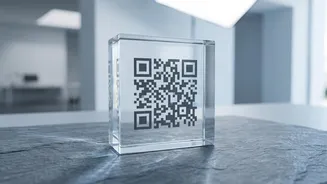
QR codes are for one purpose in UPI: to make a payment. You should never scan a QR code to receive money. Scammers exploit this confusion by sending you a QR code and claiming you need to scan it to get paid. When you scan it, your UPI app will prompt you to enter an amount and your PIN, which sends money directly to the fraudster. Another variation is scammers physically pasting their QR code sticker over a legitimate one at a shop counter to divert payments. Always verify the merchant's name in your UPI app before confirming the payment.
Verify Before You Trust
Before completing any transaction, your UPI app displays the registered name of the person or entity you are paying. Make it a habit to always check this name. If you are paying a merchant, it should display the business name. If the name shown is a random individual's name or looks suspicious, cancel the transaction. Scammers often use fake or misleading UPI IDs that look similar to legitimate ones. Don't rely on a screenshot from the sender as proof of payment; always check your own bank account statement or SMS alerts to confirm that money has been credited.
Avoid Fake Helplines and Remote Access Apps
If you have an issue with a transaction, do not search for customer care numbers on Google or social media. Scammers create fake helpline numbers and websites to lure people seeking help. When you call, they will pose as support executives and ask for your PIN, OTP, or trick you into installing screen-sharing apps like AnyDesk or TeamViewer. Once they have remote access, they can view your screen as you enter your PIN and take control of your account. Always use the official help section within your UPI app or visit the bank’s official website to find contact information.
What to Do If You Get Scammed
If you suspect you have been a victim of fraud, time is critical. First, immediately call your bank's customer service number to report the transaction and request to block your account or card if necessary. Second, report the fraud on the National Cyber Crime Reporting Portal by calling the helpline number 1930 or by visiting cybercrime.gov.in. Third, use the 'report' or 'raise dispute' option for the specific transaction within your UPI app. According to RBI guidelines, reporting an unauthorised transaction within three working days can limit your financial liability.