







Your Urban Stargazing Starter Kit
Before you even download an app, a little preparation can dramatically improve your experience. The biggest challenge in any Indian city is light pollution—the bright haze or 'skyglow' that washes out fainter stars. Find the darkest spot you can access
safely. This could be a terrace, a high balcony away from streetlights, or a nearby park with fewer direct lights. Give your eyes about 15-20 minutes to adjust to the darkness; you'll be amazed at how much more becomes visible. Also, check the weather. A clear, cloudless night is essential. In September 2026, the ringed planet Saturn rises in the eastern sky shortly after sunset and is visible for most of the night, making it a perfect target for city dwellers. Armed with a little patience and the right digital tool, you’re ready to begin.
Star Walk 2: The Visual Powerhouse
Often lauded as one of the best apps for beginners, Star Walk 2 combines a beautiful user interface with powerful features. Its augmented reality (AR) mode is its biggest strength. Simply point your phone at the sky, and the app overlays constellation art, star names, and planet labels onto your live camera view. This makes identifying objects incredibly intuitive. To find Saturn, you can use the search function, and an arrow will guide you to its location in the sky. The app also features a 'Time Machine' function that lets you see the sky's state in the past or future. While the app is free with ads, a very affordable upgrade unlocks more features and removes interruptions. Its blend of stunning visuals and ease of use makes it a fantastic starting point for any aspiring urban astronomer.
Stellarium Mobile: The Pocket Planetarium
Stellarium began as powerful desktop software for serious astronomers and is now available in a streamlined mobile version. The free version is incredibly robust, offering a massive catalogue of stars, planets, and constellations. Its key advantage is its accuracy and realistic sky simulation. You can set your exact location for precise rise and set times and get a true-to-life depiction of the sky above you. It includes illustrations from various sky cultures, offering a richer, more global perspective on the constellations. While the free version works perfectly for identifying planets like Saturn, the paid 'Plus' version offers an even larger database and allows you to control a Wi-Fi-enabled telescope, making it a great app to grow with.
SkyView Lite: The Point-and-Identify Champion
If you want a no-fuss, straightforward app that does one thing exceptionally well, SkyView Lite is an excellent choice. Its core function is using your phone's camera and sensors to identify celestial objects in real-time. Just point your device at a bright object in the sky, and the app will tell you if it's a star, a planet, or even the International Space Station (ISS). You can tap on any object to get more detailed information and see its trajectory across the sky. One of its most useful features for urban stargazers is the ability to adjust the magnitude or brightness of the stars shown on screen, helping you filter out the clutter and focus on the brightest objects visible through city lights.
Tips for a Successful Saturn Hunt
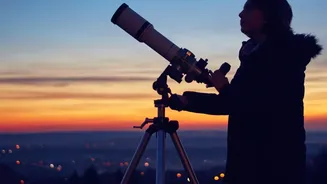
Once you have your app of choice, maximize its potential. Most stargazing apps have a 'Night Mode' or 'Red Light' feature. Activate this to turn your screen red, which helps preserve your night vision while you look between your phone and the dark sky. Don't just rely on the AR overlay; use the app to learn the major constellations around your target. This will help you find objects with your naked eye more easily over time. For Saturn, although you can locate it as a bright, yellowish point of light with these apps, seeing its famous rings requires a bit more power. A good pair of binoculars might reveal its elongated shape, but a small telescope is needed to resolve the rings distinctly. Think of these apps as your map to the treasure, even if you need other tools to see all the details.