





Decoding Phishing: The Classic Con
Phishing is a fraudulent attempt by cybercriminals to steal your sensitive information, such as passwords, OTPs, or bank details, by impersonating a trusted entity. These attacks often arrive as emails, SMS messages, or social media DMs that appear to be from
your bank, a government agency, or a popular online service. The messages create a sense of urgency, warning you about a suspended account or an unpaid bill, to pressure you into acting without thinking. Key signs of a phishing attempt include poor grammar, generic greetings like "Dear Customer," suspicious sender addresses, and unexpected requests for personal information. Legitimate organizations will never ask for your password, PIN, or full security code via email or text.
Malicious Links: The Hidden Danger
A common component of phishing scams is the malicious link. These links are designed to lead you to a fake website that looks nearly identical to a real one, where you might be tricked into entering your login credentials or financial data. Scammers often use URL shortening services to hide the true destination of the link. Before you click, always hover your mouse over the link on a desktop computer to preview the actual web address. On mobile, you can usually press and hold the link to see a preview. Be wary of URLs with slight misspellings, extra hyphens, or unusual domain endings. Even if a message seems to be from a friend, if it contains an unexpected link with an urgent request, it’s best to verify with them through a different channel before clicking.
QR Code Scams: The New-Age Fraud
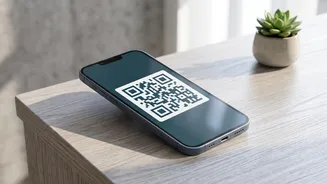
QR codes have made payments incredibly convenient, but they've also opened the door to new types of fraud. Scammers are known to place malicious QR code stickers over legitimate ones at public places like parking meters or restaurants. When scanned, these fake codes can redirect you to a phishing website or, in some cases, initiate a malware download. A particularly common scam in India involves tricking people into believing they need to scan a QR code to receive money. This is always a fraud. Remember the golden rule of UPI transactions: you never need to scan a QR code or enter your UPI PIN to receive money. Before confirming any payment, always double-check the recipient's name and the amount displayed on your app.
Building Your Digital Defence
Beyond spotting individual scams, you can take several proactive steps to secure your digital life. First and foremost, enable two-factor authentication (2FA) on all your important accounts. This adds a crucial second layer of security that can prevent unauthorized access even if your password is stolen. Always keep your device's operating system, apps, and antivirus software up to date with the latest security patches. Use strong, unique passwords for different accounts to prevent a breach on one service from compromising others. Regularly monitor your bank and credit card statements for any transactions you don't recognise. If you encounter a suspicious message or potential scam, report it to your bank and the National Cyber Crime Reporting Portal immediately.