






Your Phone is a Pocket Planetarium
The magic behind identifying celestial objects with your phone lies in augmented reality (AR) stargazing apps. These applications use your phone's built-in sensors—like its GPS, compass, and gyroscope—to know exactly where you are and which direction
the phone is pointing. When you aim your camera at the night sky, the app overlays a map of stars, planets, and constellations onto your screen in real-time. What you see on your device is a perfect, labeled guide to what's right above you. There is no need for a telescope or complicated charts; the universe is now accessible with a tool you already carry everywhere.
Choosing Your Stargazing App
The app store is filled with options, but a few stand out for their ease of use and powerful features. For beginners, Star Walk 2 and SkyView Lite are excellent starting points. Both offer beautiful, intuitive interfaces and robust AR features that make pointing your phone at a star and getting an instant identification a seamless experience. For those wanting more detail, Stellarium Mobile offers a massive catalogue of stars and celestial objects, inheriting its accuracy from its renowned desktop software counterpart. Most of these apps have highly capable free versions, so you can start exploring without any cost.
First Steps to Finding the Planets
Once you've downloaded your chosen app, getting started is simple. First, grant the app permission to access your location; this is crucial for it to generate an accurate sky map for you. You may also need to calibrate your phone's compass by moving it in a figure-eight motion, which the app will typically prompt you to do. After setup, just point your phone towards the sky. You can pinch to zoom in on objects and tap on them to pull up detailed information. To find a specific planet like Jupiter or Saturn, use the app's search function. An arrow will usually appear on screen to guide you to its current location in the sky.
Spotting Jupiter and Saturn This Autumn
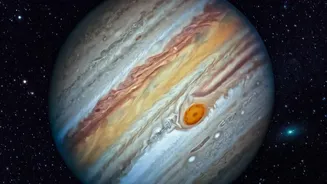
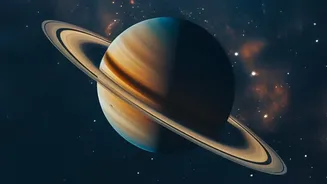
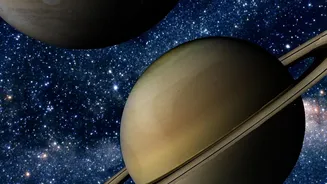
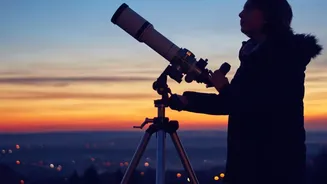
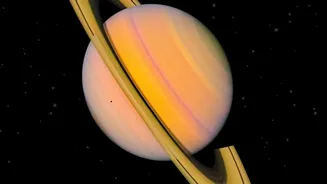
Autumn 2026 is a fantastic time for planet-watching. Both Jupiter and Saturn will be prominent features of the evening sky. Saturn reaches its opposition—its closest and brightest point for the year—on October 4, 2026. On this night, it will rise around sunset and be visible all night long in the southern sky. Even a basic app will show its location clearly. While you'll need a telescope to see its famous rings, your app will confirm you're looking at the right 'star'. Jupiter will also be a brilliant, unmissable object in the eastern sky after sunset, outshining every star around it.
Exploring Autumn's Starry Canvas
Beyond the planets, the autumn sky is rich with famous constellations. The most easily recognisable is Cassiopeia, which forms a distinct 'W' or 'M' shape in the northern sky. Another key pattern is the Great Square of Pegasus, a large box-like formation high overhead. Using the Great Square as a guidepost, your app can help you trace the constellation Andromeda. If you are in a dark location, your app can even point you to the faint, fuzzy patch of the Andromeda Galaxy (M31), the most distant object visible to the naked eye. Let the app's artwork overlays help you visualize the mythological figures these constellations represent.
Tips for the Best Viewing Experience
To make the most of your stargazing session, a little preparation goes a long way. If possible, move away from bright city lights to a darker location; this will dramatically increase the number of stars you can see. Give your eyes at least 15-20 minutes to fully adjust to the darkness. Many stargazing apps include a 'red light mode' which turns the interface red. This helps preserve your night vision, as white and blue light from a phone screen can ruin your eyes' dark adaptation. Also, check the weather forecast and the phase of the moon. A clear, moonless night is always best for seeing the faintest stars.