








The End of the Blank Page
Every design project begins with inspiration, but translating a concept into a visual direction can be a significant time sink. Freelancers often face the challenge of starting from scratch, manually building color schemes and curating images to create
a mood board that aligns with a client's vision. This foundational work, while crucial, is often repetitive and can slow down the initial, most exciting phase of a project. Generative AI tools are changing this dynamic by providing a powerful starting point, effectively eliminating the 'blank page' problem and accelerating early-stage ideation.
Instant Color Harmonies
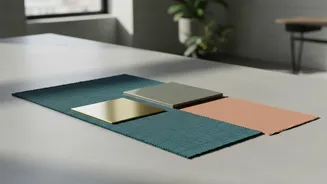
One of the most immediate benefits of AI for designers is in color palette generation. Instead of manually picking and pairing colors, freelancers can now use AI tools to generate entire schemes in seconds. Tools like Adobe's Generative Recolor can produce custom palettes based on simple text prompts such as “terracotta desert” or “faded emerald”. Other platforms use machine learning to generate aesthetically pleasing palettes based on brand descriptors or even by analyzing an uploaded image. This allows designers to quickly present clients with multiple, high-quality color options, speeding up approvals and getting to the core design work faster.
Building Visual Boards in Minutes
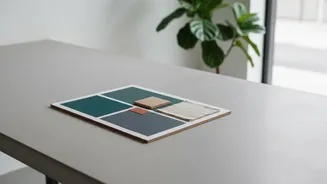
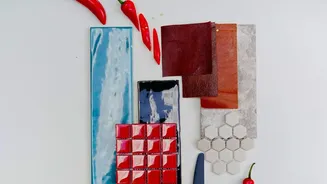
Visual boards, or mood boards, are essential for aligning on a project's look and feel. Traditionally, this meant hours spent searching for, downloading, and arranging images. Today, AI-powered platforms can generate a cohesive board from a single text prompt. By typing in a theme like “minimalist skincare branding,” a tool can pull together a curated collection of images, color palettes, and even font suggestions. This not only streamlines the creative process but also helps translate abstract ideas into a concrete visual story perfect for client presentations or campaign kick-offs.
Popular AI Tools for Creatives
A growing ecosystem of AI tools is available to freelancers looking to leverage this technology. For creating visual boards, platforms like Miro and Venngage offer AI generators that turn text descriptions into polished storyboards. Adobe Firefly's 'Boards' feature provides a flexible, AI-powered workspace to generate and remix ideas. For color, tools such as Huemint, Adobe Color, and ColorMagic provide sophisticated options, from generating schemes based on machine learning to integrating directly with professional design software. These tools are designed to fit into existing workflows, making adoption relatively seamless.
Beyond Speed: The Strategic Advantage
While the speed is impressive, the true value of AI automation lies in how it frees up a freelancer's time. By automating repetitive and time-consuming tasks, AI allows designers to focus on higher-value work that cannot be automated: strategy, client communication, and creative direction. This shift is crucial for business growth. When less time is spent on manual grunt work, more time can be dedicated to understanding a client's business goals, refining the user experience, and delivering truly thoughtful, impactful design solutions. Successful freelancers are using AI to remove friction, not to remove thinking.
Maintaining Your Creative Voice
A common concern is that using AI might lead to generic or soulless designs. However, experienced professionals view these tools not as replacements for creativity, but as powerful assistants. The key is to use the AI-generated output as a starting point. The generated color palettes can be tweaked, and the visual boards can be refined with personal touches and specific project imagery. Human judgment, taste, and intuition remain irreplaceable. AI is a tool for exploration and efficiency, but the final design decisions and the unique creative spark still come from the freelancer.