
Embrace Multi-Factor Authentication
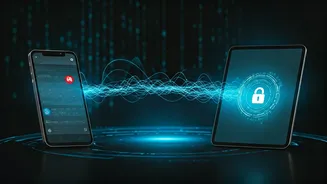
If there's one takeaway that echoes across every security discussion, it's this: enable multi-factor authentication (MFA) everywhere you can. Think of it as a double lock on your digital door. Even if a cybercriminal manages to steal your password, they
still won't be able to access your account without the second piece of information—usually a code sent to your phone or generated by an authenticator app. Most essential services, like your email, banking apps, and social media accounts, offer MFA. Activating it is one of the single most effective steps you can take to secure your digital life. Experts recommend using an authenticator app over SMS text messages for this second layer of security, as it is considered a more robust method.
Use a Password Manager
The days of trying to remember dozens of complex passwords (or worse, reusing the same one) are over. The viral advice consistently points to one solution: a password manager. These tools generate long, unique, and random passwords for every single one of your accounts and store them securely in an encrypted vault. You only need to remember one strong master password to unlock the manager. This approach solves two of the biggest password-related security risks at once: using weak passwords and recycling them across different sites. If one site experiences a data breach, a password manager ensures that the stolen password cannot be used to access any of your other accounts.
Learn to Spot Phishing Scams
Cybercriminals are increasingly sophisticated, but many still rely on a classic technique: phishing. These are deceptive emails, texts, or messages designed to trick you into giving away sensitive information like login credentials or financial details. The viral threads were full of tips on how to spot them. Always be suspicious of messages that create a sense of urgency or fear, like a threat to close your account. Before clicking any links, hover your mouse over them to see the actual destination URL. Check the sender's email address for slight misspellings or unusual domains. And remember, legitimate organizations like banks or government agencies will almost never ask for your password or personal information via email.
Keep Your Software Updated
That notification nagging you to update your computer or phone isn't just about getting new features. Software updates are critical because they often contain vital security patches that fix vulnerabilities discovered by developers. Delaying these updates is like leaving a known vulnerability exposed for criminals to exploit. The best practice shared in online safety discussions is to turn on automatic updates whenever possible for your operating systems, web browsers, and applications. This ensures your devices are always protected against the latest known threats without you having to think about it. This simple habit is a foundational element of good 'cyber hygiene'.
Audit Your Social Media Privacy
What you share online can be used against you in ways you might not expect. Viral threads consistently remind users to regularly review their social media privacy settings. Take a moment to check who can see your posts, your friend list, your location, and other personal details. Cybercriminals can piece together information you share publicly to craft targeted phishing attacks or even attempt identity theft. Limit the amount of personal information you display, such as your full birthdate, home address, or phone number. Adopting a 'think before you post' mentality is crucial for maintaining both your privacy and your security.
Be Cautious on Public Wi-Fi
Free public Wi-Fi at cafes, airports, and hotels is convenient, but it's not always secure. These open networks can be a hunting ground for hackers looking to intercept your data. The consensus advice is to avoid accessing sensitive accounts, like your bank or email, while connected to public Wi-Fi. For an added layer of protection, use a Virtual Private Network (VPN). A VPN encrypts your internet traffic, making it unreadable to anyone who might be snooping on the network. If you don't have a VPN, it's safer to use your phone's mobile data hotspot for any sensitive online activity.