






Understanding the Modern Threat
In today's hyper-connected world, scams have evolved far beyond suspicious email attachments. The two most pervasive threats are phishing and QR code fraud. Phishing attacks use deceptive emails, SMS messages, or social media posts that appear to be from
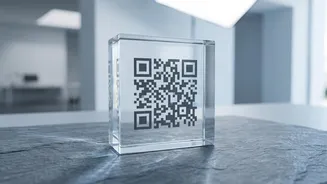
a legitimate source—like your bank, a delivery company, or even a government agency. The goal is to trick you into clicking a malicious link and entering sensitive information like passwords or bank details. QR code scams, sometimes called 'quishing,' work similarly but use a physical or digital QR code. Scammers might place a sticker with a malicious code over a real one at a restaurant or parking meter. When you scan it to pay, it directs you to a fake website that steals your payment information or, in the case of UPI, might trick you into authorising a payment to the scammer instead of receiving money.
The Golden Rule of UPI and QR Codes
Let's be crystal clear on the most important rule for UPI users: you never need to enter your PIN or scan a QR code to receive money. Payments coming to your account are automatic. Scammers exploit confusion around this by using the 'Request Money' feature on UPI apps. They send you a request and tell you to approve it by entering your PIN to receive a payment or refund. The moment you enter your PIN, you are authorising a payment from your account to theirs. Similarly, when you scan a QR code, you are always initiating a payment. If a seller on an online marketplace asks you to scan a QR code they sent to receive an advance payment, it is a scam. Always pause and verify the name and details on your UPI app screen before authorising any transaction.
How to Spot a Phishing Link
Scammers are good, but they often leave clues. When you receive an unexpected email or message, look for these red flags before clicking anything. First, check the sender's email address. Scammers often use addresses that are slight misspellings of legitimate ones. Second, hover your mouse over any link (without clicking) to see the actual destination URL. If the text says "yourbank.com" but the link goes to a strange, unrelated address, it's a trap. Third, beware of urgent or threatening language designed to make you panic, such as "Your account will be suspended in 24 hours!" or "Unusual login attempt detected!". Legitimate companies rarely use such high-pressure tactics. Finally, generic greetings like "Dear Valued Customer" instead of your actual name can be a warning sign.
Building Your Digital Defence
Proactive habits are your best protection. First, enable Two-Factor or Multi-Factor Authentication (2FA/MFA) on all your important accounts, especially banking and email. This adds a second layer of security, like an OTP sent to your phone, making it much harder for anyone to get in even if they steal your password. Second, use strong, unique passwords for different websites. A password manager can help you create and store complex passwords securely. Third, keep your phone and computer software updated. These updates often contain critical security patches that protect you from new vulnerabilities. Finally, avoid conducting financial transactions on public Wi-Fi networks, which are often unsecured and can be monitored by hackers.
What to Do If You Have Been Scammed
If you suspect you've fallen for a scam, acting quickly is crucial. First, contact your bank immediately to report the fraudulent transaction and have them block your card or account if necessary. Next, report the incident to the National Cyber Crime Reporting Portal by visiting cybercrime.gov.in or by calling the helpline number 1930. This is an official Government of India initiative to tackle cybercrime. Be sure to save all evidence, such as screenshots of the transaction, the scammer's phone number or UPI ID, and any messages exchanged. After reporting it, change the passwords for any accounts that may have been compromised, starting with your primary email and banking apps.