





Why Grey Skies Cause Workspace Woes
When you work in a space with inadequate light, your eyes have to work much harder to focus, leading to physical discomfort and mental fatigue. This is often called eye strain, and its symptoms can include everything from dryness and irritation to tension
headaches. On overcast days, the lack of bright, natural light makes this problem significantly worse. The dim, diffused light reduces contrast and can make it difficult to read text on a screen or on paper. This constant effort to see clearly doesn't just tire your eyes; it can drain your overall energy, reduce focus, and lower your productivity. For some, the persistent lack of natural light can even affect mood and motivation, contributing to feelings of sluggishness and lethargy.
Understand the Three Layers of Light
Before you can fix your lighting, it helps to understand the three basic types that professionals use to create a balanced space. The first is 'ambient light', which is the general, overall illumination of the room. This is the light that fills the space and prevents dark corners. The second is 'task light', which is a focused beam of light directed at a specific area where you perform tasks, like reading or typing. This is the most critical layer for productivity. Finally, 'accent light' is used to highlight specific objects or architectural features, like a painting or a plant. For a workspace, getting the combination of ambient and task lighting right is the key to comfort and focus.
Your New Best Friend: A Good Task Lamp
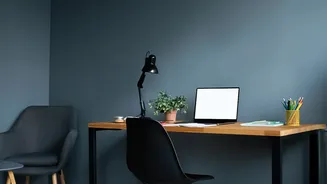
If you make only one change, invest in a quality task lamp. An adjustable desk lamp is essential for directing light exactly where you need it—on your keyboard and documents, not your screen. This prevents glare, which is a major cause of eye strain. When choosing a lamp, look for LED options. They are energy-efficient and offer a range of brightness levels and colour temperatures. Brightness is measured in lumens; for a desk lamp, something around 450-500 lumens is a good start. Colour temperature, measured in Kelvin (K), is also important. A cool, bluish light (above 4000K) is great for focus and energy, mimicking natural daylight. A warmer, yellowish light (under 3000K) is more relaxing and better for winding down at the end of the day.
Improve Your Video Call Appearance
A dark, gloomy day can make you look like you're in a witness protection program on video calls. The key to looking good on camera is to have your primary light source positioned in front of you. Never sit with a window or a bright light behind you, as this will turn you into a silhouette. A simple desk lamp or even a small ring light placed behind your laptop and facing you will provide soft, even illumination. This fills in shadows under your eyes and ensures your face is clearly visible. If you don't have a dedicated light, even moving a table lamp to sit in front of you during important calls can make a world of difference. Your screen's brightness should also be adjusted to match the light in your room to avoid looking washed out or overly dark.
Small Tweaks With a Big Impact
You don’t always need to buy new equipment to improve your lighting. Start by positioning your desk perpendicular to a window, rather than directly in front of or behind it, to get the benefit of natural light without the glare. Use sheer curtains or blinds to diffuse harsh sunlight. You can also make your space feel brighter by using reflective surfaces; a strategically placed mirror can bounce light around the room. Finally, don't forget to give your eyes a break. Use the 20-20-20 rule: every 20 minutes, look at something 20 feet away for at least 20 seconds. This simple habit helps reduce the fatigue that comes from staring at a screen all day.