







The Problem with 'Let's Circle Back'
We’ve all been in that meeting. An hour-long discussion that weaves through brilliant ideas, valid concerns, and the occasional off-topic tangent. It feels productive in the moment, but then it ends. The dreaded silence follows, broken only by a vague,
"Great chat, everyone. Let's circle back on this." A day later, nobody is quite sure who owns which task. The follow-up email is a novel-length summary that no one reads, or worse, it never gets sent. This cycle of inefficient meetings and ambiguous outcomes is one of the biggest silent productivity killers in the modern Indian workplace. We spend more time talking *about* the work than actually doing it, simply because takeaways are lost in translation.
Enter the AI Meeting Assistant
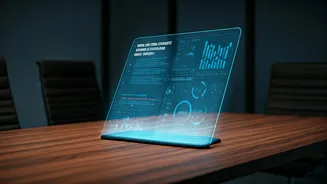
Artificial Intelligence is now smart enough to be your team’s most diligent notetaker. AI meeting assistants are tools that join your virtual meetings (on platforms like Zoom, Google Meet, or Microsoft Teams) just like any other participant. While you and your team focus on the conversation, the AI works silently in the background. Its primary job is to perform three key functions: it creates a real-time transcript of the entire conversation, it identifies who said what, and most importantly, it uses language processing to generate a concise summary and a clear list of action items after the meeting ends. Instead of a 60-minute video recording, you get a 2-minute summary highlighting decisions, tasks, and deadlines.
How to Get Started
Implementing this is simpler than you think. Tools like Otter.ai, Fireflies.ai, and built-in solutions like Microsoft's Copilot are leading the charge. The process is straightforward: 1. **Choose and Connect:** Sign up for a service and connect it to your work calendar (e.g., Google Calendar or Outlook). This allows the AI bot to automatically know when your meetings are scheduled. 2. **Configure:** You can set the tool to automatically join all your meetings or prompt you to add it on a case-by-case basis. You can also inform the tool about your internal jargon or team member names for better accuracy. 3. **Inform Your Team:** The first time you use it, give your colleagues a heads-up. A simple, "I'm using an AI notetaker to help us capture action items so we don't miss anything," fosters transparency and gets everyone on board. Most tools clearly announce their presence, ensuring everyone is aware they are being recorded and transcribed.
The New Meeting Workflow
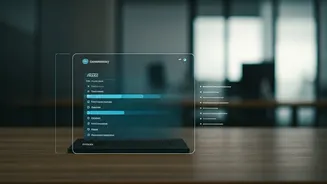
Integrating AI transforms the entire lifecycle of a meeting. During the call, team members can focus fully on the discussion instead of frantically typing notes. If someone joins late, they can quickly read the real-time transcript to catch up without interrupting the flow. The real magic, however, happens post-meeting. Within minutes of the call ending, you receive an email with a link to the summary. This summary isn't just a block of text; it's often broken down into a short abstract, bulleted key points, and a dedicated 'Action Items' section. These action items often detect phrases like "I will send the report by EOD" and automatically assign the task to the speaker. This summary can be quickly shared with all attendees, creating an instant, undisputed record of responsibilities.
A Tool for a Better Work Culture
This isn't just about saving time; it's about building a culture of accountability and focus. When everyone knows that action items are being automatically captured and assigned, conversations become more purposeful. The vague "someone should look into this" is replaced by a concrete "Priya will investigate the data discrepancy." This clarity reduces the need for follow-up meetings and drives momentum. Over time, teams learn that meetings are for decisions, not just discussions. The knowledge that a crisp, shareable summary will be generated encourages participants to be more concise and solution-oriented. The AI assistant becomes a catalyst for better meeting discipline, ultimately leading to shorter, more effective gatherings.