







The New Study Workflow: From Voice to Notes
Forget frantically typing while trying to listen. A new generation of AI tools allows you to focus on the lecture, record it, and then transform the audio into structured, searchable, and summarised notes. This approach not only saves time but can also
deepen your understanding by allowing you to engage more actively with the material. The process can be broken down into a few key steps: record the audio, transcribe it into text, use AI to summarise and structure that text, and finally, review and personalise the output to fit your learning style. This method helps reduce the stress of note-taking and provides a powerful, customised study asset.
Step 1: Record and Transcribe Your Audio
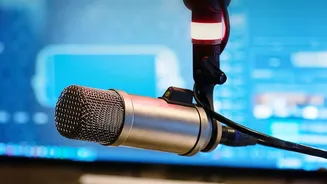
The first step is capturing the audio. This could be a lecture recorded on your phone, a virtual class on Zoom, or even a voice memo where you talk through complex ideas. For the best results, ensure the audio quality is as clear as possible. Once you have your audio file, you need an AI transcription service to convert speech to text. Many tools now offer high accuracy, even with background noise or multiple speakers. Popular options like Otter.ai provide real-time transcription and speaker identification, making it easy to follow along. Other services like Audionotes or Notta can handle various file uploads and provide transcripts in minutes. The goal is to get an accurate text version of your recording, which will serve as the raw material for your notes.
Step 2: Summarise and Structure with AI
A raw transcript is a wall of text, not a study guide. This is where AI's analytical power comes in. Using large language models like ChatGPT or dedicated features within transcription apps, you can process the text in seconds. You can paste the transcript and ask the AI to perform specific tasks. For example, prompt it to: 'Summarise the key arguments', 'Extract all key definitions', or 'Create a list of main topics with bullet points for each'. Some advanced tools like Mindgrasp or Knowt are designed specifically for students and can automatically generate summaries, flashcards, and quizzes from your uploaded files. This step transforms a lengthy recording into a condensed and organised format, highlighting the most important information.
Step 3: Personalise and Perfect Your Notes
This is the most critical step for effective learning. AI gives you a fantastic draft, but personalised notes are what make information stick. Review the AI-generated summary and compare it against the original transcript for accuracy. This is your opportunity to add your own touch. Rephrase concepts in your own words. Insert questions or personal reflections in the margins. Connect ideas from the lecture to things you already know. You can ask the AI to help with this too. For instance, prompt it: 'Explain this concept to me like I'm ten years old' or 'Create an analogy for this economic theory'. By actively editing and refining the AI's output, you are engaging in a powerful form of active recall and making the study guide truly your own.
Choosing the Right Tools for the Job
The market for AI note-taking apps is growing rapidly. When choosing a tool, consider a few factors. Look for high transcription accuracy, especially for technical subjects. Check the tool's privacy policy to understand how your data is handled. Many tools offer a free tier, which is often sufficient for a student's needs, allowing a certain number of transcription minutes per month. Some tools, like Fireflies.ai or Krisp, are designed for meetings but work perfectly for lectures, while others like NotebookLM are excellent for analysing the text after transcription. Don't be afraid to experiment with a few different platforms to find the workflow and features that best suit your study habits and budget.