





The Charting Process Explained
Indian Railways prepares a reservation chart to finalize the allocation of seats to passengers. This isn't a one-time event. The first chart is typically prepared several hours before the train's departure. A second and final chart is then prepared about
30 minutes before the train leaves the station. This final chart is the most critical one, as it accounts for last-minute cancellations, upgrades, and the allocation of seats to passengers on the RAC (Reservation Against Cancellation) list. Understanding this process is the first step to knowing what to look for and when.
Confirm Your Basic Details
It may sound obvious, but the first thing to check on the chart is your name, age, and gender. While booking errors are less common with online systems, they can still happen. A mismatch between your ticket details and your official ID can lead to unnecessary complications with the Train Ticket Examiner (TTE). When travelling in a group, ensure you check the details for every single passenger listed under your PNR number. Don't just assume everyone's details are correct after checking the first name.
Decoding Your Final Seat Status
This is the most important piece of information on the chart. Your PNR status can fall into one of three main categories: CNF (Confirmed), RAC (Reservation Against Cancellation), or WL (Waiting List). If your status is CNF, the chart will show your allocated coach and berth number. If it's RAC, you are permitted to board the train and will be given a seat to share, which may get upgraded to a full berth if one becomes available. However, if your e-ticket status remains WL after the final chart is prepared, you are not allowed to board the reserved coach, and the ticket is automatically cancelled with a refund.
Locate Your Coach and Berth
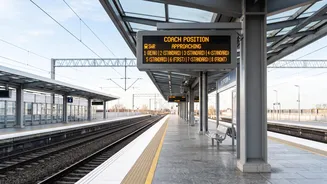
Once your ticket is confirmed (CNF), the chart will display your specific coach and berth number. For example, 'S5, 32' means you have been allotted berth number 32 in coach S5. Modern PNR alerts and online charts often include the type of berth as well (e.g., Lower, Middle, Upper, Side Lower, Side Upper). Verifying this beforehand saves you from the last minute scramble of running along the platform trying to find your coach. Knowing your coach position from the engine can also help you position yourself on the platform correctly.
Check for Upgrades and Special Remarks
Sometimes, passengers are upgraded to a higher class of travel at no extra cost, depending on vacancy. The final chart will reflect this change. So, even if you booked a Sleeper Class ticket, it's worth checking if you've been surprisingly upgraded to an AC coach. The chart is the definitive source for this information. Any special notations from the railways will also be mentioned here. Don't rely on the status you saw a day ago; always check the final prepared chart for the most current information.
How to Access the Final Chart
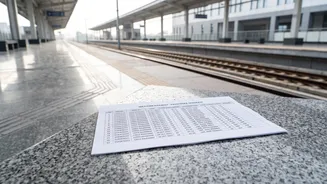
In the past, travellers had to rely on printed charts pasted on station notice boards or on the side of the coaches. While these physical charts still exist at many stations, Indian Railways has digitized the process. You can view the final reservation chart online through the IRCTC website or app under the 'Charts / Vacancy' option. This portal shows a graphical layout of the coaches with details of occupied and vacant berths after the chart has been prepared, making it incredibly convenient to check your final status from your phone.