






Why You Need a Warranty System
We’ve all been there: a phone stops charging, a mixer stops mixing, or a washing machine goes silent. These are moments of modern-day panic, often followed by a frantic search through drawers and old shoeboxes for a proof of purchase. More often than
not, the search ends in frustration, and you end up paying for a repair that should have been covered. A dedicated warranty folder, whether physical or digital, transforms this chaos into control. It’s not just about tidy paperwork; it’s a practical tool that saves you significant money and stress over time. By having every necessary document in one place, you empower yourself to make claims quickly and efficiently, ensuring you get the full value out of every purchase.
Digital vs. Physical: Choose Your Method
The first step is deciding where your warranty hub will live. There is no single right answer, only what works best for you. A digital system offers incredible convenience. Using cloud storage like Google Drive or Dropbox, or dedicated apps, allows you to create searchable files accessible from anywhere. You can scan receipts with your phone and set calendar reminders for expiring warranties. However, a digital system relies on technology and carries a small risk of data being compromised or lost. A physical system, like a binder or filing box, is tangible and immune to tech failures. It can feel more secure for important documents. The downside is that it takes up physical space and isn't as easily searchable. A hybrid approach, keeping digital copies with a physical backup of the most critical documents, offers the best of both worlds.
Going Digital: Your Cloud Command Centre
If you're opting for a digital setup, start by creating a main folder called “Warranties” in your preferred cloud service. Inside, create subfolders for each item (e.g., “Laptop,” “Air Conditioner,” “Television”). When you buy a new product, use a scanner app on your phone to immediately digitise the receipt and warranty card. Name the files clearly, for example, “Laptop_Receipt_July2026.pdf”. For even better organisation, create a simple spreadsheet that lists each product, its purchase date, the warranty expiration date, and a link to its folder. Many warranty tracking apps, like TrackWarranty and others, can automate much of this process. They can scan receipts using AI, auto-import details from your email, and send you reminders before a warranty period ends.
The Physical File: An Analogue Solution
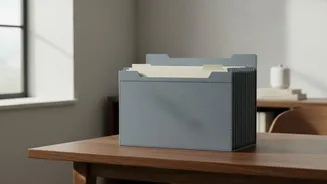
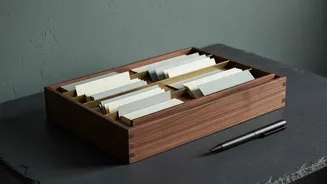
For those who prefer a hands-on approach, a simple binder or portable file box is your best friend. Use plastic sleeves or tabbed dividers to create sections. You can organise alphabetically by product name (“Blender,” “Coffee Maker”) or by room (“Kitchen,” “Living Room”). When you make a new purchase, staple the receipt to the warranty card or manual and file it immediately. Some people find it useful to have two separate binders: one for items that will stay with the house if they move (like a water heater or dishwasher) and another for personal items you'll take with you. This small bit of foresight can make moving home significantly easier for both you and the new owners.
What to Keep: The Essential Documents
A warranty claim is only as strong as its documentation. Whether digital or physical, your folder for each product should contain a few key items. The most critical document is the proof of purchase. This is typically an itemised sales receipt or an online order confirmation that clearly shows the product name, seller, and purchase date. A bank statement showing the transaction can sometimes work as a backup. Next, include the warranty card or agreement itself, which outlines the terms of coverage. It’s also wise to save the product’s serial and model number, which are often found on a sticker on the device itself. Finally, taking a few clear photos of the product and any defects can be extremely helpful when you initiate a claim.
Maintenance Is Key: The Regular Update
The final, crucial element is keeping your folder “regularly updated.” A warranty folder filled with expired documents is just another form of clutter. Set a reminder in your calendar to review your folder once or twice a year. Go through each entry and discard the documents for warranties that have expired. This not only keeps your system lean and efficient but also gives you a moment to review the status of your current items. This simple habit, which takes less than an hour per year, ensures that when you need to find something, you’re looking through relevant documents only, saving you precious time in a stressful situation.