






Understand the Dangers
Public Wi-Fi networks are often unsecured, making them a prime target for cybercriminals. One of the most common threats is a 'Man-in-the-Middle' (MitM) attack. In this scenario, a hacker secretly places themselves between your device and the Wi-Fi router,
allowing them to intercept, read, or even alter the data you send and receive. They can steal login credentials, credit card numbers, and other personal details without you ever knowing. Another tactic involves creating fake 'rogue' Wi-Fi hotspots with believable names, like 'Airport Free WiFi', to trick you into connecting.
Use a Virtual Private Network (VPN)
A VPN is your single most effective tool for staying safe on public Wi-Fi. It creates a secure, encrypted 'tunnel' for your internet traffic. This means that even if a hacker manages to intercept your data, it will be scrambled and unreadable. Think of it as a private courier for your information, ensuring it goes directly to its intended destination without anyone else being able to peek inside. Setting up a VPN involves downloading an app from a reputable provider and activating it before you start browsing.
Always Look for the Lock (HTTPS)
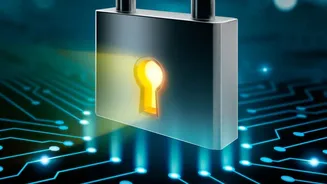
Before entering any personal or payment information on a website, look at the address bar in your browser. Ensure the URL begins with 'https' and not just 'http'. That 's' stands for 'secure' and indicates that the connection between your browser and the website is encrypted. Most modern browsers also display a padlock icon next to the address to signify a secure connection. This encryption protects your data from being easily read by intruders on the network, but remember that a VPN provides a more comprehensive layer of security for all your device's traffic.
Disable Auto-Connect and File Sharing
Many smartphones and laptops are set to automatically connect to known or open Wi-Fi networks. It's a good practice to disable this feature to prevent your device from connecting to a potentially malicious network without your permission. You should also turn off file-sharing features. While useful on your secure home network, having file sharing active on a public network could expose your files to anyone else connected to it.
Strengthen Your Account Security
Good security habits are crucial. Use strong, unique passwords for all your online shopping accounts. Even better, enable multi-factor authentication (MFA) or two-factor authentication (2FA) whenever possible. With MFA, even if a hacker manages to steal your password from a public Wi-Fi network, they won't be able to access your account without the second verification step, which is usually a code sent to your phone. This provides a powerful second line of defense.
Consider Using Your Mobile Data
When in doubt, your phone's cellular data connection is generally a much safer option than public Wi-Fi for sensitive transactions like shopping or banking. While not immune to all threats, a mobile data connection is significantly more difficult for casual hackers in a coffee shop to intercept. If you have a strong signal and a decent data plan, creating a personal hotspot from your phone to use with your laptop is a secure alternative to using the public network.