





What is Local AI Transcription?
Local AI transcription refers to the process of converting speech to text using software that runs entirely on your personal computer, without sending any data to an external server. Unlike popular cloud services that upload your audio files for processing,
a local AI plugin leverages your computer's own processing power to do the work. The technology is powered by sophisticated open-source models, most notably OpenAI's Whisper, which has been trained on vast amounts of audio data to understand numerous languages, accents, and dialects. This approach puts you in complete control of your data from start to finish.
The Case for Offline Transcription
The most significant advantage of local transcription is privacy. When your audio files are processed on your own machine, sensitive information from client meetings, strategic discussions, or personal notes never leaves your device. This eliminates the risk of data breaches or unauthorized access on third-party servers. Another major benefit is cost. While cloud services typically charge recurring subscription fees, the leading local AI models are open-source and free to use. You make a one-time investment in any paid software you choose to use, but there are no ongoing costs per minute or per month. Finally, offline capability means you can generate transcripts anywhere, anytime, without needing a stable internet connection, making it ideal for working on the go.
What Hardware Do You Really Need?
The idea of running AI locally might sound like it requires a supercomputer, but the reality is more accessible. For basic transcription tasks, a modern computer with a multi-core CPU and at least 16GB of RAM is often sufficient to get started. Many optimised programs are designed to run efficiently on standard processors. However, for faster results and the ability to use the largest, most accurate AI models, a dedicated graphics card (GPU) is beneficial. Modern gaming PCs are particularly well-suited for this, as their powerful GPUs can dramatically speed up the transcription process. But you don't need to buy new hardware to start; it's best to first test a local AI tool on your existing machine.
Finding User-Friendly Local AI Tools
The core AI models, like Whisper, are often operated using command-line prompts, which can be intimidating for non-technical users. Fortunately, a growing ecosystem of applications provides a user-friendly Graphical User Interface (GUI) on top of this powerful technology. These tools, such as Buzz, StarWhisper, and others, replace complex commands with simple buttons, dropdown menus, and drag-and-drop functionality. When searching for a tool, look for a 'Whisper GUI' that allows you to easily select your audio file, choose a model, and click a button to start transcribing. These applications make local AI accessible to anyone, regardless of their programming experience.
A Simple 4-Step Transcription Workflow
Once you've chosen a user-friendly application, the process of generating a transcript is straightforward. First, install the software on your Mac or Windows computer. Second, prepare your audio. For the best results, use a clear recording with minimal background noise. The software will support common formats like MP3, M4A, and WAV. Third, run the transcription. Simply open your audio file within the application, select the language spoken, and choose an AI model. Models are typically labelled by size, like 'base' or 'large'; larger models are more accurate but take longer to process. Finally, once the process is complete, review the generated text. You can then copy it or export it as a text or subtitle file for your records.
Tips for Maximum Accuracy
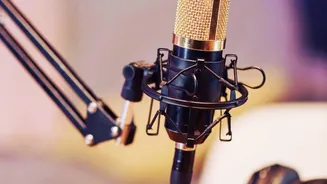
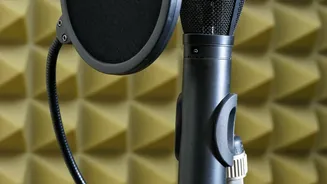
The quality of your transcript is directly tied to the quality of your audio. To ensure the highest accuracy, start with a good microphone placed close to the speaker. Record in a quiet environment to minimize background noise that can confuse the AI. If multiple people are speaking, encourage them to avoid talking over one another. Within the software, choosing the right model size is also crucial. For a quick draft of a clean recording, a 'base' or 'small' model might be sufficient. For a critical meeting with challenging audio or heavy accents, it is worth waiting a little longer for the 'large' model to process, as it will deliver a significantly more accurate result.