





The Digital Welcome Mat You Didn't Know You Had
The single biggest vulnerability in many smart home devices, including security cameras, is the use of default usernames and passwords. Manufacturers often ship entire product lines with identical, simple credentials like "admin/admin" or "admin/password".
These are not secrets; they are widely known and catalogued online. Hackers use automated programs that constantly scan the internet for devices using these exact default credentials. Finding one is like finding a key left under the doormat. A recent joint advisory from intelligence agencies in the Netherlands highlighted that Russian hackers successfully spied on NATO military movements by compromising unsecured civilian cameras, many of which likely used factory-default settings. This illustrates how a simple oversight can be exploited for large-scale espionage, let alone individual privacy invasion.
Your First and Strongest Defence: A Better Password
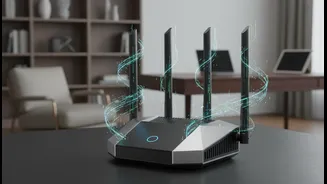
Changing the default password on your camera is the most critical first step you can take. A strong password should be unique and complex, combining upper and lower-case letters, numbers, and special characters. Avoid easily guessable information like birthdays or family names. But don't stop at the camera itself. Your home Wi-Fi router is the gateway to all your connected devices. If your router has a weak or default password, a hacker who gains access to your network could potentially see and control every device on it, including your cameras. Securing your router is just as important as securing the camera itself.
The Digital Bouncer: Enable Multi-Factor Authentication
Think of Multi-Factor Authentication (MFA), also known as Two-Factor Authentication (2FA), as a digital bouncer for your account. Even if a hacker manages to steal your password, MFA requires a second piece of proof that you are who you say you are. This is usually a temporary code sent to your smartphone via an app or SMS. For a hacker to gain access, they would need not only your password but also physical possession of your phone, which is a much harder task. Many major camera brands now offer MFA, and enabling it provides a massive boost to your security. It is one of the most effective ways to prevent unauthorized access to your accounts and the live feeds from your cameras.
Keep Your Device's Brain Updated
The software that runs your smart camera is called firmware. Security researchers constantly find new vulnerabilities in these systems. When they do, manufacturers release firmware updates to patch the holes. Failing to install these updates leaves your device exposed to known exploits. Some cameras will update automatically, but for others, you may need to manually check for updates in the device's app or on the manufacturer's website. Keeping your firmware current is a crucial and ongoing part of maintaining your digital security hygiene, ensuring you are protected against the latest discovered threats.
Unique Challenges for Renters
If you are a renter, you face a unique set of security challenges. You may not have control over the home's Wi-Fi network or know the history of the smart devices left behind by a previous tenant or installed by a landlord. If a landlord provides smart cameras, insist that they are reset to factory settings and that you are allowed to set a new, unique password. If possible, consider setting up your own separate, secure Wi-Fi network for your personal devices to isolate them from any shared or landlord-controlled network. When you move out, be sure to reset your passwords and log out of all shared devices to revoke access for future tenants.