





Hack 1: The Three-Layer Defence System
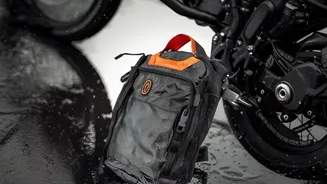
The single most effective strategy isn't one item, but three layers of protection. Your first line of defence is a water-repellent or waterproof backpack. The second is a dedicated padded laptop sleeve inside the bag. This adds a crucial barrier against
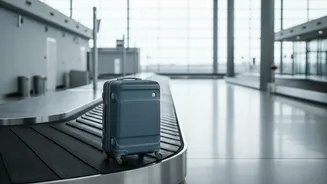
both impact and any moisture that might breach the outer layer. The third, often overlooked, layer is a simple plastic bag or a purpose-built dry bag wrapped around the laptop before it goes into the sleeve. This triple-threat approach ensures that even if your main bag gets soaked during a sudden downpour while unloading luggage, your device remains completely isolated from the water.
Hack 2: Know Your Bag's True Capabilities
There's a huge difference between "water-resistant" and "waterproof." Water-resistant bags, often coated with a Durable Water Repellent (DWR) finish, can handle light showers but will eventually soak through in sustained, heavy rain typical of Indian monsoons. Truly waterproof bags often use materials like PVC-laminated polyester or feature roll-top closures that prevent water from seeping through zippers. When buying a bag, check for features like sealed seams and waterproof zippers. If your budget doesn't stretch to a fully waterproof model, a highly water-resistant bag paired with a separate rain cover is an excellent and affordable alternative. Many brands like Wildcraft and Decathlon offer backpacks with included rain covers.
Hack 3: The Power of Silica Gel Packets
Water damage isn't just from direct rain; ambient humidity can be a silent enemy. The damp air inside a car or a hotel room during the monsoon can lead to moisture building up inside your device. A simple and cheap hack is to toss a few silica gel packets into your laptop bag. You often get these for free in new shoe boxes or with electronics. They are desiccants, meaning they absorb moisture from the surrounding air. This helps create a drier micro-environment within your bag, protecting delicate internal components from the risks of condensation and corrosion over time. Just remember to replace them periodically as they become saturated.
Hack 4: Pack Smart Inside the Vehicle
Where you place your laptop inside a car or bus matters. Avoid placing your backpack on the floor, where water can easily pool from wet umbrellas, shoes, or leaky door seals. The safest spot is often on a seat, wedged securely between other softer luggage. If the bag must be in the boot, place it on top of other items and away from the edges, which are most vulnerable to leaks. Before you even pack it, ensure the laptop is fully shut down, not just in sleep mode. This prevents it from generating heat, which can react with the cool, damp environment and increase the risk of internal condensation.
Hack 5: The Emergency 'Just-in-Case' Kit
Even with the best precautions, accidents happen. Be prepared with a small, ziplocked emergency kit. This should contain a highly absorbent, lint-free microfiber cloth and a few paper towels. If your device gets wet, the absolute first step is to power it down immediately by holding the power button. Disconnect all peripherals and the power cord. Then, gently blot—never wipe—the exterior dry. Flipping the laptop into an inverted 'V' or tent shape on a towel helps gravity drain water out through the keyboard. Never use a hairdryer, as the heat can cause more damage. Let it air dry for at least 48-72 hours before attempting to turn it on. For sugary or sticky spills, it is best to take it to a professional immediately.
Hack 6: Beware the Condensation Trap
One of the most underestimated risks is condensation. Imagine stepping out of a cool, air-conditioned car into the warm, humid monsoon air. This rapid temperature change can cause moisture to condense on and inside your laptop, just like a cold glass of water 'sweats' on a hot day. To prevent this, allow your laptop to acclimatise. When moving between temperature extremes, leave the laptop in its bag for 15-20 minutes before taking it out. This allows the device's temperature to adjust more gradually, significantly reducing the risk of internal moisture forming on critical components.