







Why Your Setup Matters More Than You Think
The discomfort you feel after a long day isn't just from sitting; it's from sitting improperly. Poor posture forces your muscles to work overtime to support your body, leading to strain, fatigue, and even chronic pain. An ergonomic setup isn't about buying
the most expensive gear; it's about making your environment fit your body, not forcing your body to fit the environment. This reduces physical stress, which can in turn boost your focus, energy levels, and overall productivity. A few simple adjustments can transform your chair from a source of strain into a tool for support.
The Foundation: Set Your Seat Height
The first and most crucial adjustment is your chair's height. The goal is to have your feet resting flat on the floor with your thighs roughly parallel to it. To find the right height, stand next to your chair and adjust the seat until its highest point is just below your kneecap. When you sit down, your knees should be at about a 90-degree angle. If your feet dangle, your posture will suffer and it can affect circulation in your legs. In this case, don't lower the chair if it misaligns you with your desk; instead, use a footrest. A stack of sturdy books can even work in a pinch.
Support Your Spine: Lumbar and Backrest Angle
Your spine has a natural 'S' curve, and your chair should support it. Sit all the way back in your seat so your lower back presses against the backrest. Adjust the lumbar support so it fits comfortably into the curve of your lower back, roughly around your belt line. This prevents you from slouching, which flattens your spine and puts pressure on your discs. Don’t feel you need to sit rigidly upright. A slight recline of 100 to 110 degrees can actually reduce spinal pressure more effectively than a perfect 90-degree angle.
Give Your Shoulders a Break: Armrest Position
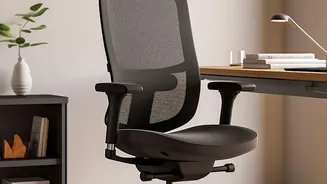
Armrests are not just for lounging; they play a key role in reducing strain on your neck and shoulders. Adjust the armrests so your shoulders are relaxed, not hunched, and your elbows are bent at a comfortable 90-degree angle. Your forearms should rest lightly on the pads without you having to lean or shrug. If the armrests are too high, they'll cause shoulder tension; if they are too low, you'll lean to one side, misaligning your spine. And if they prevent you from getting close enough to your desk, consider lowering or even removing them.
Fine-Tuning for All-Day Comfort
A few final tweaks complete the picture. Make sure there are two to three fingers of space between the front edge of your seat and the back of your knees to promote good circulation. Your monitor should be about an arm's length away, with the top of the screen at or just below eye level to keep your neck in a neutral position. Keep your keyboard and mouse close enough that you don’t have to reach, which strains your shoulders. These small details work together with your chair to create a fully supportive and comfortable workspace.
DIY Ergonomics: No Fancy Chair Required
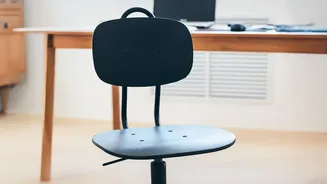
You don’t necessarily need a brand-new chair to feel better. Many of these principles can be applied to a standard office or even a dining chair. If your chair lacks built-in lumbar support, a rolled-up towel or a small cushion placed at the small of your back can make a huge difference. If the seat is too hard, a firm cushion can add both comfort and a little height. These simple hacks can provide immediate improvements, proving that good ergonomics is about knowledge and adjustment, not just expensive equipment.