




The Foundation: Start With Your Chair
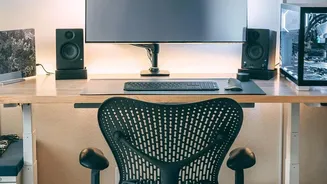
Before you worry about your screen or keyboard, your chair is the most critical piece of the ergonomic puzzle. The goal is to create a stable base for your entire body. Start by adjusting your chair’s height until your feet are resting flat on the floor.
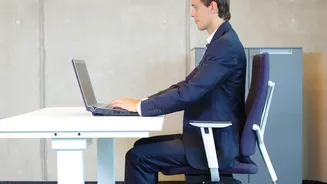
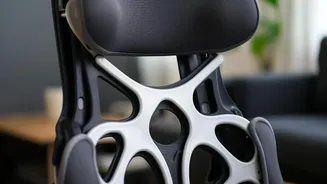
Your knees should be bent at approximately a 90-degree angle, with your hips level with or even slightly higher than your knees. This position helps stabilize your pelvis and supports the natural curve of your lower spine, preventing you from slouching. Sit all the way back in your chair so that your lower back makes contact with the lumbar support. If your chair lacks built-in support, a small rolled-up towel or a dedicated lumbar pillow can make a significant difference by maintaining the gentle inward curve of your spine.
Align Your Monitor to Protect Your Neck
A poorly positioned monitor is a primary cause of neck and upper back strain, as the pain from craning your neck can travel down your spine. The most important rule is to position the screen so that the top edge is at or just slightly below your eye level. This allows your eyes to have a slight downward gaze when viewing the center of the screen, which is a more natural resting position for your neck muscles. Your monitor should also be about an arm's length away from you, which is typically 20 to 30 inches. If the screen is too close or too far, you may find yourself leaning forward or squinting, defeating the purpose of good posture. A slight upward tilt of the monitor (around 10 to 20 degrees) can also help you maintain a comfortable viewing angle without straining.
Position Your Keyboard and Mouse
Once your chair and monitor are set, the final step is to align your keyboard and mouse. The goal here is to keep your arms in a relaxed, neutral position. Your desk and keyboard height should allow your elbows to be bent at roughly a 90-degree angle, with your forearms parallel to the floor. Your shoulders should feel relaxed, not hunched up towards your ears. Position your keyboard and mouse close enough to your body to avoid reaching. Your wrists should remain in a straight, neutral position while typing, not bent up or down. Keeping these input devices at the proper height and distance prevents strain that can radiate up from your wrists into your shoulders and upper back.
Incorporate Movement and Breaks
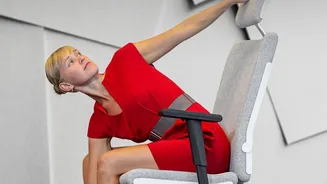
Even the most perfectly ergonomic setup cannot undo the negative effects of remaining static for hours. Your body is designed to move, and prolonged sitting can lead to muscle fatigue and stiffness regardless of your posture. Health experts recommend taking regular breaks to stand, stretch, and walk around. A simple and effective strategy is the 20-20-20 rule: every 20 minutes, take a 20-second break to look at something 20 feet away. This helps reduce eye strain, but it's even better if you use that break to stand up. Set a timer to remind yourself to get up every 30 to 60 minutes. These small interruptions in sitting time can make a massive difference in preventing back pain and improving your overall well-being throughout the workday.