


The Eye-Level Rule
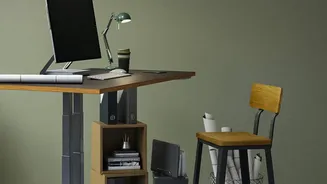
The single most important hack is to position your monitor so that the top of the screen is at or slightly below your eye level. When your screen is too low, you naturally hunch forward, causing your head to tilt down and strain the muscles in your neck
and upper back. If it's too high, you'll tilt your chin up, creating tension. The goal is a neutral, relaxed neck position where your head is balanced directly over your spine. If you use a laptop, propping it up on a stack of books or a dedicated stand is a must to achieve this height.
Keep It Centered
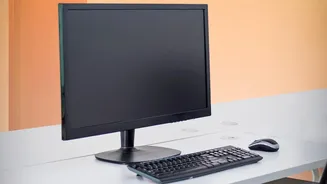
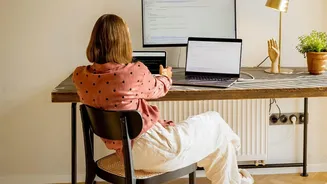
Your primary monitor should be placed directly in front of you, aligned with your body and your keyboard. This prevents you from twisting your torso or neck, even slightly, for hours on end. If you constantly turn your head to view an off-center screen, you create an imbalance that can lead to muscle strain and discomfort. If you use two monitors, place your main screen directly in front of you and the secondary screen right next to it.
The Arm’s Length Test
To prevent eye strain and avoid leaning forward, your screen should be about an arm's length away from you. A good rule of thumb is to sit back in your chair and extend your arm; your fingertips should comfortably touch the screen. The ideal distance is typically between 20 and 40 inches. This distance allows you to view the entire screen without excessive head movement and reduces the temptation to crane your neck forward, which puts immense pressure on your spine.
Master Your Seating Posture
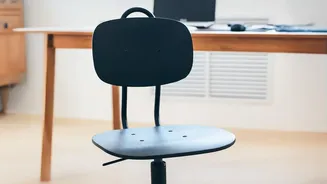
A perfect screen setup is only half the battle. Your chair is the foundation of good posture. Adjust its height so your feet rest flat on the floor with your thighs parallel to the ground. Your knees should be at roughly a 90-degree angle. Ensure your lower back is supported by the chair's lumbar curve or add a small cushion or rolled-up towel to fill the gap. Your elbows should also be at a relaxed 90-degree angle, with your wrists straight when typing.
Eliminate Glare with a Tilt
Glare from windows or overhead lights can cause you to squint and adopt awkward postures to see your screen clearly. Position your monitor at a right angle to windows, not directly in front of or behind them. Additionally, tilting your screen back by about 10 to 20 degrees can help reduce reflections and improve your viewing angle. This slight backward tilt aligns with the natural downward gaze of your eyes, further reducing neck strain.
Don't Forget to Move
Even the most ergonomic setup cannot completely offset the negative effects of prolonged sitting. One of the simplest hacks is to build movement into your day. Set a timer to stand up, stretch, and walk around for a few minutes every hour. Simple stretches like neck rolls, shoulder squeezes, and seated spinal twists can relieve muscle tension and improve circulation. This regular movement is crucial for keeping your spine flexible and preventing the stiffness that contributes to back pain.