





The Blueprint: Start With a Strong Outline
The secret to a great AI-generated presentation isn't just the tool you use; it's the quality of the input you provide. Artificial intelligence can't read your mind, but it can interpret a well-structured outline. Before you even think about opening a presentation app,
draft your content in a simple text document. Use clear, hierarchical headings for each slide title. Underneath each heading, list your key points as concise bullet points. Think of it as creating a skeleton; the clearer the bone structure, the better the final body of work will be. This initial step forces you to organize your thoughts logically, ensuring the narrative of your presentation flows smoothly from one point to the next. A solid outline is the foundation upon which the AI will build, so investing time here will save you significant editing later.
Choose Your Automated Design Assistant
A variety of powerful AI tools can now transform text into presentations. Gamma is a popular choice known for creating visually engaging, web-native presentations that are easy to share with a link. It excels at turning prompts into a coherent story with a professional design right out of the gate. Another strong contender is Tome, which also converts documents and prompts into editable slides, focusing on a strong narrative flow. For students who live inside the Google ecosystem, SlidesAI is an invaluable extension for Google Slides. It works directly within the platform you already know, letting you generate a full deck from pasted text without leaving your workspace. Many of these tools offer free plans that are sufficient for typical student projects, allowing you to experiment and find the one that best fits your workflow.
From Text to First Draft in Seconds
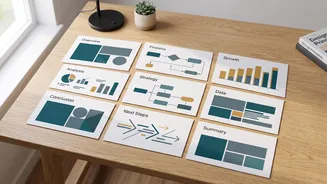
Once you have your outline and have chosen a tool, the magic happens. The process is generally straightforward across most platforms. You will typically find a text box where you can paste your entire outline. Some tools, like Tome and QuillBot, also allow you to upload a full document. After inputting your text, you will often be prompted to choose a visual theme or style. With a single click of a 'Generate' button, the AI gets to work. It analyzes your outline, assigns each main heading to a new slide, and populates the slide with your corresponding bullet points. In less than a minute, what was once a plain text file becomes a fully-formatted first draft of your presentation, complete with title slides, content slides, and even automatically generated speaker notes in some cases.
The Crucial Step: Refine and Personalize
Submitting the raw, AI-generated output is a mistake. These tools provide an excellent first draft, but they are not a substitute for your own knowledge and voice. This is where you elevate the presentation from generic to great. Read through every slide carefully. Rephrase any sentences that sound awkward or don't reflect your personal style. Double-check all facts and figures, as AI can sometimes generate plausible-sounding but incorrect information. This is your opportunity to add deeper analysis, personal insights, and specific examples from your course material. Adjust the automatically selected images to ensure they are truly relevant to your points. This human touch is what will earn you top marks; it shows the marker you used the tool as a productivity aid, not a crutch.
Final Polish and Visual Consistency
With the content refined, focus on the final visual polish. Most AI presentation makers do a good job of maintaining a consistent theme, but you have the power to fine-tune it. Ensure your font sizes are readable and your color scheme is clear and not distracting. If your university or department provides an official PowerPoint template, see if you can apply its branding to the generated deck. Some tools allow you to export the presentation as a .pptx file, which you can then open in PowerPoint or Google Slides for final adjustments. This allows you to integrate specific branding elements, add complex animations if needed, and give the entire presentation one last review before you save the final version. This last pass ensures everything is professional, cohesive, and ready for submission.