






Meet the Villain: What Is a Challan Error?
Think of a tax challan as the receipt for your tax payment. It contains critical details that tell the Income Tax Department who paid the tax, how much was paid, for which financial year, and under what category (like advance tax or self-assessment tax).
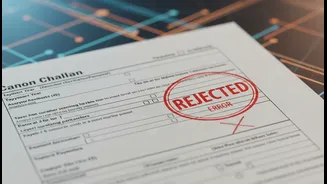
A challan error is simply a mistake in one of these crucial fields. While it may seem minor, the income tax system is highly automated. An incorrect detail means the system can't match your payment to your ITR, effectively making it seem like you haven't paid your taxes correctly, even if the money has left your bank account.
The Usual Suspects: Common Challan Mistakes
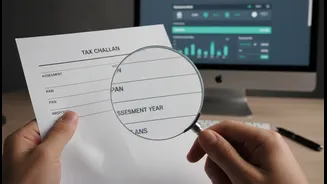
These errors are the most frequent offenders that taxpayers encounter. The most common mistake is selecting the wrong Assessment Year (AY). For income earned in the Financial Year 2025-26, the corresponding AY is 2026-27; mixing this up is a frequent slip-up. Another common issue is an error in the tax payment category. This involves selecting the wrong Major Head (like 'Corporation Tax' instead of 'Income Tax') or Minor Head (e.g., paying Self-Assessment Tax under the 'Advance Tax' code). Sometimes, the taxpayer's Permanent Account Number (PAN) itself is entered incorrectly, sending the tax credit into a void. These mistakes, though seemingly small, are enough to cause significant processing problems.
The Trail of Chaos: Why These Errors Matter
A challan error isn't just a trivial typo; it has real consequences. The most immediate impact is a mismatch in your Form 26AS, which is your annual tax credit statement. If the tax you paid doesn't reflect here correctly, you cannot claim credit for it when filing your ITR. This can lead to a host of problems: your tax refund could be significantly delayed or reduced, or worse, you could receive an incorrect tax demand notice from the department asking you to pay the tax you've already paid. It creates a frustrating loop of correspondence and follow-ups to prove that you did, in fact, pay on time.
The Taxpayer's Toolkit: How to Spot an Error
Catching the villain requires a bit of detective work. The first step is to be diligent. After making any tax payment, save the challan receipt. Next, log in to the income tax e-filing portal and check your Form 26AS. This form should be updated to reflect the tax payment you just made. Compare the details on your challan receipt—PAN, amount, Assessment Year, and date of deposit—with the entry in your Form 26AS. If a payment is missing or any detail is incorrect, you have spotted a challan error. It is crucial to do this before filing your ITR, as using a challan with incorrect details in your return can complicate the correction process.
The Solution: Correcting Self-Paid Tax Errors
If you made the mistake yourself while paying advance tax or self-assessment tax, the good news is you can often fix it online. The Income Tax Department has a 'Challan Correction' facility on the e-filing portal. You can request corrections for the Assessment Year, Major Head (tax applicability), and Minor Head (payment type) for challans from AY 2020-21 onwards. However, there are conditions. The challan must be 'unconsumed' (not yet used in your ITR), and you get only one chance to correct it online. There are also strict time limits: you typically have only 7 days to correct the Assessment Year and around 30 days for other errors. To do this, log in to the portal, navigate to 'Services' > 'Challan Correction', and follow the steps to submit a request.
When the Error Isn't Yours: TDS Mismatches
What if the error was made by your employer, a bank, or another client who deducted TDS? In this case, you cannot correct the challan yourself. The mistake originated from their end when they filed their TDS return. Your only course of action is to contact the deductor immediately. Inform them of the discrepancy you see in your Form 26AS and provide them with the correct details. They are responsible for rectifying the error by filing a revised TDS return on the TRACES portal. Once they file the correction, the updated information will reflect in your Form 26AS, and you will get the proper tax credit.