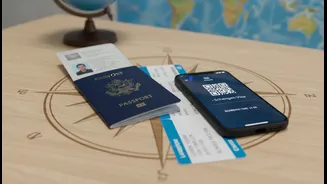









The Case for Going Paperless
Moving your travel documents into the digital realm isn't just about saving trees; it's about making your travel experience smoother, safer, and less stressful. With digital copies, you have a backup if your physical documents get lost or stolen. Everything
from your passport and visa to flight confirmations and hotel bookings can be stored in one central, accessible location. This eliminates the panic of misplacing a crucial piece of paper. Instead of a bulky folder, your entire travel portfolio lives on your phone or in the cloud, accessible anywhere in the world. This shift offers not just convenience but also peace of mind, knowing your essential information is protected and retrievable in an emergency.
Choosing Your Digital Toolkit
You have several options for storing your digital documents, ranging from general-purpose cloud storage to specialized travel apps. Services like Google Drive, Dropbox, and iCloud are excellent for creating a simple, secure folder for your trip. You can create subfolders for flights, accommodation, and identification, making everything easy to find. For a more integrated experience, dedicated travel management apps like TripIt or Wanderlog automatically organize your itinerary. You simply forward your confirmation emails, and the app builds a detailed, timeline-based view of your trip, often with added features like gate change alerts and maps. Many of these apps also offer sections to store scans of your documents securely.
What to Digitize: A Checklist
Before you travel, take the time to scan or take clear photos of essential documents. Your digital travel wallet should include: your passport ID page, any necessary visas, flight boarding passes, train tickets, and hotel or rental car confirmations. It’s also wise to include a copy of your travel insurance policy, the contact information for your country's embassy at your destination, and a list of emergency contacts. Having digital versions of your credit cards (front and back) can also be a lifesaver if your wallet is lost or stolen. Make sure each file is clearly named for quick retrieval, for example, "Passport_Scan.pdf" or "Flight_Mumbai-Delhi_July15.pdf".
The Golden Rule: Offline Access
Relying solely on the cloud is a common mistake. Airport Wi-Fi can be unreliable, and international data can be expensive. The most critical step in managing digital documents is ensuring they are accessible offline. Before you leave, download your entire travel folder to your phone and perhaps another device, like a tablet. Most cloud storage and travel apps offer an 'offline access' feature. Taking screenshots of boarding passes and QR codes is another simple but effective backup. The goal is to be able to pull up any necessary document even if your device is in airplane mode, ensuring a dead battery or poor connection doesn't leave you stranded.
Security is Non-Negotiable
Storing sensitive information like your passport requires a security-first mindset. A digital copy of your passport is as valuable as the physical one. Avoid keeping these documents in an unsecured photo gallery or your email inbox. Instead, use encrypted apps or secure folders that require a PIN or biometric authentication to access. For cloud storage, enable two-factor authentication for an extra layer of protection. When using public Wi-Fi at airports or cafes, consider using a VPN to encrypt your connection and keep your data private. While digital is convenient, it’s still wise to carry a few physical photocopies of your most important documents, stored separately from the originals, as a final fallback.